

College
Upcoming Events
Examine how AI can support everyday financial awareness through simple tools that help users spot patterns and risks.

In this 60-minute webinar, we will explore if AI can help you save — or quietly nudge you to spend more. This session breaks down how AI shows up in personal finance today, then uses IBM Bob to live-build a simple tool that puts you back in control of your money.
What You’ll Learn
- Distinguish between AI tools that support smart money decisions and those designed to increase spending
- Identify common red flags and dark patterns in AI-driven financial apps
- Use IBM Bob to build a basic tool for tracking spending or flagging financial risks
- Debug and document an AI-assisted development project
Program Breakdown & Modules
- Total Estimated Duration for webinar: 60 minutes
- Total Estimated Duration for all optional and webinar training: 65 minutes
- Preparatory Activity (Recommended before live session): 5 minutes This video introduces how AI tools, such as IBM Bob, can streamline everyday work by automating routine tasks and assisting with more complex ones. We kindly suggest that you watch this brief video before starting the webinar. NOTE: This is the same recommended video for all fall webinars in this series. You need to watch it once.
Live Virtual Classroom
- Live Webinar: Build an AI Wellness App in 60 Minutes
- Date & Time: October 13, 2026 | 12:00 PM -1:00PM ET
- Duration: 1 hour
Registering for the IBM SkillsBuild Webinar
1. Click the teal Register button on the NAAIC event page.
2. You will be prompted to Log-in or register for IBM SkillsBuild.
NOTE: If you do not have an IBM SkillsBuild account, you can create a free account.
3. Click the blue ENROLL button on the IBM website.
4. Manually add the event to your calendar. (IBM will not send an automated calendar invite.)
IBM SkillsBuild email invitations will come from donotreply@skillsbuild.org and be shared during enrollment period.
IMPORTANT: Once you click "Enroll", it takes up to 24 hours for IBM SkillsBuild to share your official invitation. (Check junk mail.)
On the day of the webinar, the link will be posted in the webinar section of the IBM learning plan.
The National Summit on Artificial Intelligence will be hosted by Maricopa Community Colleges on October 14 - 16, 2026, in Chandler, Arizona. More information coming soon. You can RSVP already!
.png)
2026 National AI Summit - Sold Out
Applied AI: Empowering Learning Communities and Workforce
Event Dates: October 14-16, 2026 (Wednesday–Friday)
Location: Chandler-Gilbert Community College, Chandler, Arizona
Presented by the Maricopa Community Colleges and hosted at Chandler-Gilbert Community College (CGCC), this three-day event will highlight:
- Keynotes by national and state AI leaders (including industry, academic, and public policymakers' voices)
- Interactive workshops and panels
- A Student Innovation Showcase featuring community college and high school students
- Networking receptions, including a signature opening at CGCC
Guided by the theme “Applied AI: Empowering Learning Communities and Workforce,” the summit will feature three tracks—Faculty & Student, Industry, and Government—highlighting best practices in AI education, real-world applications, and workforce development strategies.
Attendees will hear from industry leaders driving AI transformation, educators sharing innovative teaching approaches, and government partners supporting AI policy and workforce initiatives, with hands-on sessions and networking opportunities that foster collaboration across sectors.
Faculty Travel Stipend - Application Closed
NAAIC is committed to ensuring equitable access to high-impact learning and networking. To remove financial barriers for community college educators, we offer a $1,000 travel stipend to support their participation in the AI Summit.
To receive the stipend, applicants must:
• Be full-time faculty at a U.S. accredited community college
• Currently teach (or plan to teach) AI credit-bearing courses in the upcoming academic year
• Reside 100+ miles from the conference location
• Attend all days of the event
Timeline
Application deadline: July 15, 2026.
Acceptance notification: July 31, 2026.
Selected faculty must make their own travel arrangements. The stipend will be paid after the AI Summit, contingent on full attendance and participation.
Questions?
Contact the AI Summit Planning Committee: info@maricopacorporate.com
Turn hands-on AI practice into a career-focused project that can help demonstrate applied skills to employers.

In this 60-minute webinar, we will explore how the job market is evolving fast, and AI fluency is now a core career skill. This session shows how IBM Bob can be used to build real, hands-on projects — turning practical AI experience into portfolio-ready proof of career readiness.
What You’ll Learn
- Understand how AI is reshaping career readiness and hiring expectations
- Identify in-demand skills employers value, including AI tool fluency
- Build a career-readiness tool (e.g., resume matcher or interview-prep tool) using IBM Bob
- Debug, test, and document an AI-assisted project
- Translate hands-on AI project experience into portfolio and resume value
Program Breakdown & Modules
- Total Estimated Duration for webinar: 60 minutes
- Total Estimated Duration for all optional and webinar training: 65 minutes
- Preparatory Activity (Recommended before live session): 5 minutes This video introduces how AI tools, such as IBM Bob, can streamline everyday work by automating routine tasks and assisting with more complex ones. We kindly suggest that you watch this brief video before starting the webinar. NOTE: This is the same recommended video for all fall webinars in this series. You need to watch it once.
Live Virtual Classroom
- Live Webinar: Build an AI Wellness App in 60 Minutes
- Date & Time: October 20, 2026 | 12:00 PM -1:00PM ET
- Duration: 1 hour
Registering for the IBM SkillsBuild Webinar
1. Click the teal Register button on the NAAIC event page.
2. You will be prompted to Log-in or register for IBM SkillsBuild.
NOTE: If you do not have an IBM SkillsBuild account, you can create a free account.
3. Click the blue ENROLL button on the IBM website.
4. Manually add the event to your calendar. (IBM will not send an automated calendar invite.)
IBM SkillsBuild email invitations will come from donotreply@skillsbuild.org and be shared during enrollment period.
IMPORTANT: Once you click "Enroll", it takes up to 24 hours for IBM SkillsBuild to share your official invitation. (Check junk mail.)
On the day of the webinar, the link will be posted in the webinar section of the IBM learning plan.
Equip your students with vital AI fluency! Get free access to CompTIA's 50-hour AI Fundamentals digital courseware and earn a CompCert.
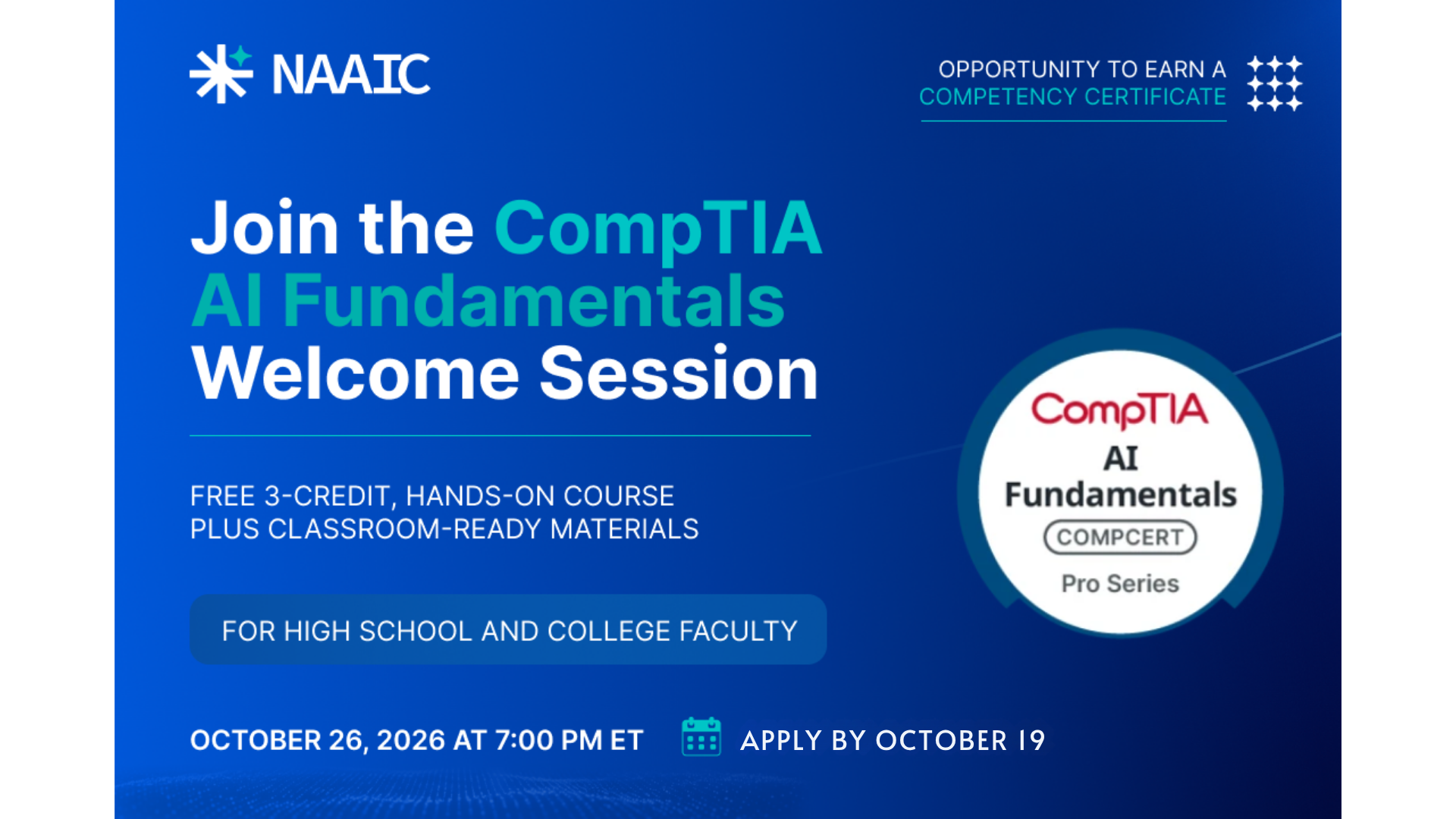
CompTIA AI Fundamentals Training
Artificial Intelligence is quickly becoming a baseline skill across industries, academic programs, and career pathways. CompTIA AI Fundamentals is a three-credit foundational course designed to help learners build practical AI literacy, responsible-use habits, and workplace-ready skills.
This free CompTIA training, sponsored by NAAIC, will provide 100 educators with 50–56 instructional hours of structured digital courseware, hands-on AI practice, integrated assessments, and preparation for the CompTIA AI Fundamentals CompCert. It is designed for non-technical learners and can be used across majors, programs, and disciplines.
Intended Audience
This free self-paced training is for high school teachers and college faculty in the United States teaching or preparing to teach and incorporate AI concepts into any subject area.
The Learning Experience
AI Fundamentals gives learners a structured pathway to understand, use, and evaluate AI in academic and workplace settings. Through CompTIA digital courseware, learners will explore:
- AI Literacy: Build a strong foundation in what AI is, how it works, and where it appears in daily life and work.
- Prompt Design: Learn how to write stronger prompts and refine AI outputs for better results.
- Responsible AI Use: Understand ethical use, bias, accuracy, privacy, and human judgment in AI-supported work.
- Output Evaluation: Practice reviewing AI-generated content for quality, reliability, and appropriate use.
- Hands-on AI Practice: Engage with AI simulations, labs, and applied activities with performance feedback.
Course Details
AI Fundamentals is a 50–56-hour foundational AI course designed for a three-credit implementation. Through this CompTIA/NAAIC opportunity, high school teachers and college faculty will receive access to LMS-ready content, multimedia instruction, interactive learning activities, integrated assessments, and hands-on AI practice.
The educators accepted into the program are required to attend one live, virtual Welcome Session before beginning the course. This 1.5-hour session will provide an overview of the course structure, completion expectations, CompTIA learning platform, and pathway to earning the CompTIA AI Fundamentals CompCert.
After the Welcome Session, participants will complete the AI Fundamentals coursework independently using CompTIA’s digital course materials.
Welcome Session Details
Duration: 90 minutes
Format: Live virtual
Date: Monday, October 26, 2026
Time: 7:00 PM ET
Application Deadline: October 19, 2026
Discover current trends in educational AI and learn to design effective, responsible tools. Through a live demo with IBM Bob, you'll see how to build a sample tool from scratch while prioritizing student data privacy, accessibility, and academic integrity.

In this 60-minute webinar, we will explore how AI in education is booming, but "getting it right" matters — this session explores what responsible, effective AI tools for education look like, from adaptive tutoring to accessibility support. Through a live demo, you'll see IBM Bob used to build a sample education tool from scratch, with a focus on student data privacy and responsible design.
What You’ll Learn
- Understand current adoption trends and categories of effective AI tools in education
- Identify what makes an education AI tool "the right stuff" (adaptive, accessible, and supportive)
- Build a sample education tool (e.g., quiz generator or feedback assistant) using IBM Bob
- Debug, test, and auto-generate documentation for an AI-assisted tool
- Apply responsible AI practices for education, including student data privacy and academic-integrity safeguards
Program Breakdown & Modules
- Total Estimated Duration for webinar: 60 minutes
- Total Estimated Duration for all optional and webinar training: 65 minutes
- Preparatory Activity (Recommended before live session): 5 minutes This video introduces how AI tools, such as IBM Bob, can streamline everyday work by automating routine tasks and assisting with more complex ones. We kindly suggest that you watch this brief video before starting the webinar. NOTE: This is the same recommended video for all fall webinars in this series. You need to watch it once.
Live Virtual Classroom
- Live Webinar: Build an AI Wellness App in 60 Minutes
- Date & Time: October 20, 2026 | 12:00 PM -1:00PM ET
- Duration: 1 hour
Registering for the IBM SkillsBuild Webinar
1. Click the teal Register button on the NAAIC event page.
2. You will be prompted to Log-in or register for IBM SkillsBuild.
NOTE: If you do not have an IBM SkillsBuild account, you can create a free account.
3. Click the blue ENROLL button on the IBM website.
4. Manually add the event to your calendar. (IBM will not send an automated calendar invite.)
IBM SkillsBuild email invitations will come from donotreply@skillsbuild.org and be shared during enrollment period.
IMPORTANT: Once you click "Enroll", it takes up to 24 hours for IBM SkillsBuild to share your official invitation. (Check junk mail.)
On the day of the webinar, the link will be posted in the webinar section of the IBM learning plan.
Join Intel’s 3-part Train-the-Trainer series on Agentic AI. Explore modular curriculum paths from power-user basics to no-code and code-based builders. All designed to equip faculty with ready-to-teach coursework for next-generation tech and workforce programs.
Equip your curriculum with the tools to teach the next frontier of artificial intelligence. This hands-on, three-part Train-the-Trainer series introduces educators to the Intel Agentic AI Module Library, demonstrating three distinct course configurations tailored for community college programs.
Designed to guide faculty from foundational user applications to advanced autonomous pipeline development, the series progresses step-by-step from lower- to higher-technical implementations. While the sessions are scaffolded to build upon one another, each workshop also functions as an independent module for instructors focused on adopting a specific instructional pathway.
Series Schedule & Learning Pathway
Session 1: Agentic AIPower User
Date & Time: Thursday, October 29, 2026 | 12:00 PM – 2:00 PM ET
Focus: Ideal for introducing students across disciplines to foundationalagentic workflows. Participants will explore core interaction paradigms,prompt-chaining strategies, and pre-built agent architectures to solveproductivity and analytical tasks without software engineering prerequisites.
Session 2: No-Code AgenticAI Solution Builder
Date & Time: Friday, November 6, 2026 | 12:00 PM – 2:00 PM ET
Focus: Geared toward applied technical and workforce courses. Thissession covers visual orchestration tools and no-code environments to design,connect, and automate custom agentic systems, bridging logic frameworks withreal-world institutional and business workflows.
Session 3: Code-BasedAgentic AI Solution Builder
Date & Time: Thursday, November 12, 2026 | 12:00 PM – 2:00 PM ET
Focus: Targeted at computer science, IT, and software developmentfaculty. Attendees will dive into programmable agent architectures, APIintegrations, orchestration frameworks, and memory management to preparestudents for building end-to-end autonomous applications.
Build practical confidence using AI to streamline everyday work, reduce repetitive effort, and improve personal productivity systems.
This 1-week cohort helps participants build practical AI-powered workflows to boost daily productivity, using IBM tools and the free version of IBM Bob for hands-on practice. Through two guided sessions, learners will identify repetitive tasks worth automating, build simple AI-assisted tools and workflows with IBM Bob, and walk away with reusable systems that save time in their real work — all without needing a paid license.
What You’ll Learn
- Identify repetitive or time-consuming tasks suitable for AI-assisted automation
- Set up and use IBM Bob (free version) for hands-on AI-assisted development
- Design a practical AI workflow tailored to a real work use case using IBM tools
- Build and test simple AI-powered productivity tools using prompt-based development in Bob
- Integrate AI-built tools into existing daily workflows (e.g., email, documentation, task management)
- Evaluate the capabilities and limitations of the free version of IBM Bob for ongoing use
- Apply best practices for maintaining and iterating on AI workflows over time
Program Breakdown & Modules
- Total Time: About 6 hours and 25 minutes
- Total Estimated Duration for Nov 03 webinar: 60 minutes
- Total Estimated Duration for Nov 10 webinar: 60 minutes
- Mandatory online courses:
- Prompt Engineering: 90 minutes
- AI Agents Unveiled: A First Look: 30 minutes
- Validate the Legal Workflow of an AI Deployment: 120 minutes
- Optional learning
- How IBM Bob and AI Tools are Changing the Way Solutions Are built: 15 minutes
Registering for the IBM SkillsBuild Webinar
1. Click the teal Register button on the NAAIC event page.
2. You will be prompted to Log-in or register for IBM SkillsBuild.
NOTE: If you do not have an IBM SkillsBuild account, you can create a free account.
3. Click the blue ENROLL button on the IBM website.
4. Manually add the event to your calendar. (IBM will not send an automated calendar invite.)
IBM SkillsBuild email invitations will come from donotreply@skillsbuild.org and be shared during enrollment period.
IMPORTANT: Once you click "Enroll", it takes up to 24 hours for IBM SkillsBuild to share your official invitation. (Check junk mail.)
On the day of the webinar, the link will be posted in the webinar section of the IBM learning plan.
Explore ethical and practical uses of AI in higher education through a virtual professional learning series focused on AI tools and real-world faculty applications. Attend the full series or select individual sessions.
Join NAAIC's AI Tools for College Faculty Series, a five-part virtual professional learning experience designed to help faculty understand, evaluate, and apply artificial intelligence in higher education.
By participating in the complete five-part series, participants build a comprehensive, end-to-end understanding of AI in education, moving from foundational ethics and policy considerations to hands-on mastery of leading platforms (Google Gemini, Claude, and OpenAI ChatGPT), culminating in practical strategies for integrating these tools directly into faculty workflows.
Attending the full series ensures a balanced comparison of each tool's unique strengths, consistent skill development, and a holistic approach to enhancing teaching efficiency while safeguarding academic integrity.
Attend the complete series or select the individual sessions that best support your work.
Series Sessions:
November 5 | 3:30–4:30 p.m. ET | Foundations of AI: Ethics and Responsible Use for College Faculty
November 6 | 3:30–5:30 p.m. ET | Working Smarter with Google Gemini for College Faculty
November 12 | 3:30–5:30 p.m. ET | Getting Started with Claude for College Faculty
November 13 | 3:30–5:30 p.m. ET | Getting More from OpenAI ChatGPT for College Faculty
November 19 | 3:30–4:30 p.m. ET | From AI Tools to Faculty Practice for College Faculty
Foundations of AI: Ethics and Responsible Use for College Faculty
November 5 | 3:30–4:30 p.m. ET | Virtual
Session Description
Build a strong foundation for using AI responsibly in higher education. This interactive session will introduce college faculty to the ethical questions that arise when AI is used in teaching, student support, and everyday academic work. We’ll focus on practical decisions involving privacy, bias, accuracy, transparency, accessibility, and academic integrity.
What You’ll Take Away
By the end of the session, participants will be able to:
• Recognize common ethical concerns related to AI in higher education.
• Protect student, institutional, and research information.
• Evaluate AI-generated content for accuracy and bias.
• Establish clear expectations for responsible student AI use.
• Make informed decisions about when, and when not to use AI.
Working Smarter with Google Gemini for College Faculty
November 6 | 3:30–5:30 p.m. ET | Virtual
Session Description
Discover how Google’s AI tools can help faculty plan courses, organize information, explore ideas, and create instructional materials. Through guided practice, participants will work with Gemini, NotebookLM, and Google AI Studio while learning which tool is best suited for different academic tasks.
What You’ll Take Away
By the end of the session, participants will be able to:
• Use Gemini to brainstorm, draft, revise, and organize content.
• Create source-grounded summaries and learning materials with NotebookLM.
• Explore prompts and AI models in Google AI Studio.
• Compare the strengths and limitations of Google’s AI tools.
• Apply these tools to practical faculty workflows.
Certificate of Completion
Participants who complete this two-hour session will be eligible to receive a certification of completion from NAAIC.
Getting Started with Claude for College Faculty
November 12 | 3:30–5:30 p.m. ET | Virtual
Session Description
Learn how Claude can support writing, analysis, planning, and other complex academic work. This hands-on session will introduce Claude’s core features and show faculty how to use the platform as a thought partner for course development, document analysis, research support, and multi-step projects.
What You’ll Take Away
By the end of the session, participants will be able to:
• Write effective prompts and refine Claude’s responses.
• Analyze documents and synthesize complex information.
• Develop course materials, assignments, and instructional resources.
• Organize longer projects while maintaining useful context.
• Explore Claude Cowork for multi-step faculty workflows.
Certificate of Completion
Participants who complete this two-hour session will be prepared to complete the free certification courses online.
Getting More from OpenAI ChatGPT for College Faculty
November 13 | 3:30–5:30 p.m. ET | Virtual
Session Description
Move beyond basic chat and explore how ChatGPT can support teaching, administrative responsibilities, and project-based work. Faculty will practice effective prompting, work with documents and data, explore ChatGPT Work features, and learn how Codex can assist with technical and data-focused projects.
What You’ll Take Away
By the end of the session, participants will be able to:
• Use ChatGPT for course planning, brainstorming, drafting, and analysis.
• Improve results through stronger prompts and thoughtful follow-up.
• Work with documents, data, projects, and workspace features.
• Create reusable instructions for recurring faculty tasks.
• Understand how Codex can support coding, data, and technical work.
Certificate of Completion
Participants who complete this two-hour session will be prepared to complete the free certification courses online.
From AI Tools to Faculty Practice for College Faculty
November 19 | 3:30–4:30 p.m. ET | Virtual
Session Description
See how AI can fit into the realities of faculty work. Led from a professor’s perspective, this application-focused session will demonstrate how tools such as Gemini, Claude, and ChatGPT can support course preparation, teaching, student communication, and administrative responsibilities.
Rather than focusing on a single platform, this session will help faculty decide which tools and approaches make sense for different needs.
What You’ll Take Away
By the end of the session, participants will be able to:
• Identify realistic ways to incorporate AI into faculty workflows.
• Compare how different AI platforms approach the same task.
• Adapt demonstrated strategies to their own courses and disciplines.
• Recognize when AI can save time and when human judgment is essential.
• Leave with practical ideas they can try immediately.
Join this interactive 75-min workshop for community college and high school faculty. Learn how Microsoft Copilot Chat agents streamline teaching and admin tasks. Build, test, and refine your custom agent using Agent Builder!
AI agents offer a new way for faculty to streamline and enhance recurring academic tasks. In this interactive 75-minute workshop, community college and high school educators will learn how Microsoft Copilot Chat agents can support teaching and administrative workflows. Participants will explore how agents differ from traditional prompting, when an agent is the right solution, and how thoughtfully designed agents can provide more consistent, reliable, and context-aware support.
Using Agent Builder in Copilot Chat, participants will build an agent while learning how to define its purpose, instructions, knowledge sources, tone, and guardrails. Through guided activities, participants will test and refine their agent, develop a practical understanding of the agent-building process, and identify opportunities to apply agents to their own teaching and professional workflows.
Questions? Reach out to info@blackdogblackcat.com
Join leading experts from across industry and education for an in-depth Community of Practice session focused on the transformative impact of Artificial Intelligence in Manufacturing.
Building undergraduate research experiences based on a collaborative relationship between the college, faculty, students and external partners yields student success stories full of transformation, confidence, and enhanced professional skills while contributing to real-world research. In this community of practice, we will consider the elements that guide us through a collective mentorship framework for undergraduate research.
Session Lead:
- Meha Trivedi, Faculty, Maricopa Community Colleges
Explore ethical and practical uses of AI in higher education through a virtual professional learning series focused on AI tools and real-world faculty applications. Attend the sessions that best support your work.
Join NAAIC's AI Tools for College Faculty Series, a virtual professional learning experience designed to help faculty understand, evaluate, and apply artificial intelligence in higher education.
Through expert-led sessions, participants explore AI tools, teaching practices, and real-world applications that support productivity, innovation, and responsible AI use in higher education. Topics include leading AI platforms and practical strategies for integrating AI into faculty workflows.
Attend the sessions that best support your work.
Series Sessions:
November 6 | 3:30–5:30 p.m. ET | Working Smarter with Google Gemini for College Faculty
November 12 | 3:30–5:30 p.m. ET | Getting Started with Claude for College Faculty
November 13 | 3:30–5:30 p.m. ET | Getting More from OpenAI ChatGPT for College Faculty
November 19 | 3:30–4:30 p.m. ET | From AI Tools to Faculty Practice for College Faculty
Working Smarter with Google Gemini for College Faculty
November 6 | 3:30–5:30 p.m. ET | Virtual
Session Description
Discover how Google’s AI tools can help faculty plan courses, organize information, explore ideas, and create instructional materials. Through guided practice, participants will work with Gemini, NotebookLM, and Google AI Studio while learning which tool is best suited for different academic tasks.
What You’ll Take Away
By the end of the session, participants will be able to:
• Use Gemini to brainstorm, draft, revise, and organize content.
• Create source-grounded summaries and learning materials with NotebookLM.
• Explore prompts and AI models in Google AI Studio.
• Compare the strengths and limitations of Google’s AI tools.
• Apply these tools to practical faculty workflows.
Certificate of Completion
Participants who complete this two-hour session will be eligible to receive a certification of completion from NAAIC.
Getting Started with Claude for College Faculty
November 12 | 3:30–5:30 p.m. ET | Virtual
Session Description
Learn how Claude can support writing, analysis, planning, and other complex academic work. This hands-on session will introduce Claude’s core features and show faculty how to use the platform as a thought partner for course development, document analysis, research support, and multi-step projects.
What You’ll Take Away
By the end of the session, participants will be able to:
• Write effective prompts and refine Claude’s responses.
• Analyze documents and synthesize complex information.
• Develop course materials, assignments, and instructional resources.
• Organize longer projects while maintaining useful context.
• Explore Claude Cowork for multi-step faculty workflows.
Certificate of Completion
Participants who complete this two-hour session will be prepared to complete the free certification courses online.
Getting More from OpenAI ChatGPT for College Faculty
November 13 | 3:30–5:30 p.m. ET | Virtual
Session Description
Move beyond basic chat and explore how ChatGPT can support teaching, administrative responsibilities, and project-based work. Faculty will practice effective prompting, work with documents and data, explore ChatGPT Work features, and learn how Codex can assist with technical and data-focused projects.
What You’ll Take Away
By the end of the session, participants will be able to:
• Use ChatGPT for course planning, brainstorming, drafting, and analysis.
• Improve results through stronger prompts and thoughtful follow-up.
• Work with documents, data, projects, and workspace features.
• Create reusable instructions for recurring faculty tasks.
• Understand how Codex can support coding, data, and technical work.
Certificate of Completion
Participants who complete this two-hour session will be prepared to complete the free certification courses online.
From AI Tools to Faculty Practice for College Faculty
November 19 | 3:30–4:30 p.m. ET | Virtual
Session Description
See how AI can fit into the realities of faculty work. Led from a professor’s perspective, this application-focused session will demonstrate how tools such as Gemini, Claude, and ChatGPT can support course preparation, teaching, student communication, and administrative responsibilities.
Rather than focusing on a single platform, this session will help faculty decide which tools and approaches make sense for different needs.
What You’ll Take Away
By the end of the session, participants will be able to:
• Identify realistic ways to incorporate AI into faculty workflows.
• Compare how different AI platforms approach the same task.
• Adapt demonstrated strategies to their own courses and disciplines.
• Recognize when AI can save time and when human judgment is essential.
• Leave with practical ideas they can try immediately.
Explore ethical and practical uses of AI in higher education through a virtual professional learning series focused on AI tools and real-world faculty applications. Attend the sessions that best support your work.
Join NAAIC's AI Tools for College Faculty Series, a virtual professional learning experience designed to help faculty understand, evaluate, and apply artificial intelligence in higher education.
Through expert-led sessions, participants explore AI tools, teaching practices, and real-world applications that support productivity, innovation, and responsible AI use in higher education. Topics include leading AI platforms and practical strategies for integrating AI into faculty workflows.
Attend the sessions that best support your work.
Series Sessions:
November 12 | 3:30–5:30 p.m. ET | Getting Started with Claude for College Faculty
November 13 | 3:30–5:30 p.m. ET | Getting More from OpenAI ChatGPT for College Faculty
November 19 | 3:30–4:30 p.m. ET | From AI Tools to Faculty Practice for College Faculty
Getting Started with Claude for College Faculty
November 12 | 3:30–5:30 p.m. ET | Virtual
Session Description
Learn how Claude can support writing, analysis, planning, and other complex academic work. This hands-on session will introduce Claude’s core features and show faculty how to use the platform as a thought partner for course development, document analysis, research support, and multi-step projects.
What You’ll Take Away
By the end of the session, participants will be able to:
• Write effective prompts and refine Claude’s responses.
• Analyze documents and synthesize complex information.
• Develop course materials, assignments, and instructional resources.
• Organize longer projects while maintaining useful context.
• Explore Claude Cowork for multi-step faculty workflows.
Certificate of Completion
Participants who complete this two-hour session will be prepared to complete the free certification courses online.
Getting More from OpenAI ChatGPT for College Faculty
November 13 | 3:30–5:30 p.m. ET | Virtual
Session Description
Move beyond basic chat and explore how ChatGPT can support teaching, administrative responsibilities, and project-based work. Faculty will practice effective prompting, work with documents and data, explore ChatGPT Work features, and learn how Codex can assist with technical and data-focused projects.
What You’ll Take Away
By the end of the session, participants will be able to:
• Use ChatGPT for course planning, brainstorming, drafting, and analysis.
• Improve results through stronger prompts and thoughtful follow-up.
• Work with documents, data, projects, and workspace features.
• Create reusable instructions for recurring faculty tasks.
• Understand how Codex can support coding, data, and technical work.
Certificate of Completion
Participants who complete this two-hour session will be prepared to complete the free certification courses online.
From AI Tools to Faculty Practice for College Faculty
November 19 | 3:30–4:30 p.m. ET | Virtual
Session Description
See how AI can fit into the realities of faculty work. Led from a professor’s perspective, this application-focused session will demonstrate how tools such as Gemini, Claude, and ChatGPT can support course preparation, teaching, student communication, and administrative responsibilities.
Rather than focusing on a single platform, this session will help faculty decide which tools and approaches make sense for different needs.
What You’ll Take Away
By the end of the session, participants will be able to:
• Identify realistic ways to incorporate AI into faculty workflows.
• Compare how different AI platforms approach the same task.
• Adapt demonstrated strategies to their own courses and disciplines.
• Recognize when AI can save time and when human judgment is essential.
• Leave with practical ideas they can try immediately.
Explore ethical and practical uses of AI in higher education through a virtual professional learning series focused on AI tools and real-world faculty applications. Attend the sessions that best support your work.
Join NAAIC's AI Tools for College Faculty Series, a virtual professional learning experience designed to help faculty understand, evaluate, and apply artificial intelligence in higher education.
Through expert-led sessions, participants explore AI tools, teaching practices, and real-world applications that support productivity, innovation, and responsible AI use in higher education. Topics include leading AI platforms and practical strategies for integrating AI into faculty workflows.
Attend the sessions that best support your work.
Series Sessions:
November 13 | 3:30–5:30 p.m. ET | Getting More from OpenAI ChatGPT for College Faculty
November 19 | 3:30–4:30 p.m. ET | From AI Tools to Faculty Practice for College Faculty
Getting More from OpenAI ChatGPT for College Faculty
November 13 | 3:30–5:30 p.m. ET | Virtual
Session Description
Move beyond basic chat and explore how ChatGPT can support teaching, administrative responsibilities, and project-based work. Faculty will practice effective prompting, work with documents and data, explore ChatGPT Work features, and learn how Codex can assist with technical and data-focused projects.
What You’ll Take Away
By the end of the session, participants will be able to:
• Use ChatGPT for course planning, brainstorming, drafting, and analysis.
• Improve results through stronger prompts and thoughtful follow-up.
• Work with documents, data, projects, and workspace features.
• Create reusable instructions for recurring faculty tasks.
• Understand how Codex can support coding, data, and technical work.
Certificate of Completion
Participants who complete this two-hour session will be prepared to complete the free certification courses online.
From AI Tools to Faculty Practice for College Faculty
November 19 | 3:30–4:30 p.m. ET | Virtual
Session Description
See how AI can fit into the realities of faculty work. Led from a professor’s perspective, this application-focused session will demonstrate how tools such as Gemini, Claude, and ChatGPT can support course preparation, teaching, student communication, and administrative responsibilities.
Rather than focusing on a single platform, this session will help faculty decide which tools and approaches make sense for different needs.
What You’ll Take Away
By the end of the session, participants will be able to:
• Identify realistic ways to incorporate AI into faculty workflows.
• Compare how different AI platforms approach the same task.
• Adapt demonstrated strategies to their own courses and disciplines.
• Recognize when AI can save time and when human judgment is essential.
• Leave with practical ideas they can try immediately.
As AI transforms education and work, how can educators ensure it enhances rather than replaces learning? This webinar explores practical strategies to support student success, skill acquisition, and career readiness in an AI-driven world.
As educational systems scale dual enrollment pathways, faculty across high schools, community colleges, and universities face a shared challenge: preparing students for postsecondary success and an AI-driven workforce without compromising learning itself. When implemented without strategy, AI risks becoming a cognitive shortcut that hinders deep learning, skill retention, and human agency. When integrated intentionally, it becomes a powerful partner for intellectual growth and career prosperity.
This webinar explores what students will encounter as they navigate AI in higher education and the modern workplace. Drawing on cognitive psychology and real-world implementation insights from higher education, this session outlines key considerations for educators and academic leaders working to ensure AI enhances learning, skill acquisition, and career development.
Explore practical strategies for applying AI in higher education through real-world faculty workflows, classroom use cases, and responsible implementation practices.
Join the final session of NAAIC's AI Tools for College Faculty Series and explore practical strategies for applying AI in higher education through real-world faculty workflows, classroom use cases, and responsible implementation practices.
From AI Tools to Faculty Practice for College Faculty
November 19 | 3:30–4:30 p.m. ET | Virtual
Session Description
See how AI can fit into the realities of faculty work. Led from a professor’s perspective, this application-focused session will demonstrate how tools such as Gemini, Claude, and ChatGPT can support course preparation, teaching, student communication, and administrative responsibilities.
Rather than focusing on a single platform, this session will help faculty decide which tools and approaches make sense for different needs.
What You’ll Take Away
By the end of the session, participants will be able to:
• Identify realistic ways to incorporate AI into faculty workflows.
• Compare how different AI platforms approach the same task.
• Adapt demonstrated strategies to their own courses and disciplines.
• Recognize when AI can save time and when human judgment is essential.
• Leave with practical ideas they can try immediately.
Past Events
Join leading experts from across industry and education for an in-depth Community of Practice session focused on the transformative impact of Artificial Intelligence in Manufacturing.
Hosted collaboratively by three National Science Foundation (NSF) Advanced Technological Education (ATE) initiatives—the National Center for Next Generation Manufacturing (NCNGM), the National Applied AI Consortium (NAAIC), and the Advanced Manufacturing Technical Education Collaborative (AMTEC)—this interactive session explores how AI-driven technologies are reshaping the modern manufacturing workforce and technical curriculum.
.jpg)
This session is designed for manufacturing and mechatronics faculty, instructors, and department chairs seeking practical strategies to embed artificial intelligence into their technical curricula. Attendees will discover actionable approaches, plus Intel's resources help align coursework with rapid industry advances, equipping students with the cutting-edge competencies modern manufacturing demands.
Featured Panelists
- Kevin Rush – Lead Artificial Intelligence Trainer, Intel® Digital Readiness Program & Sustainable Living Lab (SL2)
- Josh Jones – Artificial Intelligence Programs Specialist, Intel® Digital Readiness Program & Sustainable Living Lab (SL2)
- Erika Guerra – Program Chair of Advanced Manufacturing & Mechatronics Technology, South Texas College
Moderator
- Dr. Ann Beheler – Industry Engagement Director, Business & Industry Leadership Team (BILT)
See how AI can help organizations make sense of real-world feedback and support better service decisions.
In this 60-minute webinar, discover how generative AI and IBM Bob can transform patient feedback into actionable insights. This session walks through summarizing patient feedback with AI, evaluating the quality of AI-generated summaries, and designing a service recovery plan — all through a live coding demo.
What You’ll Learn
- Summarize patient feedback using generative AI
- Evaluate the accuracy and quality of AI-generated summaries
- Design a service recovery plan based on patient feedback analysis
Program Breakdown & Modules
- Total Estimated Duration for webinar: 60 minutes
- Total Estimated Duration for all optional and webinar training: 65 minutes
- Preparatory Activity (Recommended before live session): 5 minutes This video introduces how AI tools, such as IBM Bob, can streamline everyday work by automating routine tasks and assisting with more complex ones. We kindly suggest that you watch this brief video before starting the webinar. NOTE: This is the same recommended video for all fall webinars in this series. You need to watch it once.
Live Virtual Classroom
- Live Webinar: Build an AI Wellness App in 60 Minutes
- Date & Time: October 06, 2026 | 12:00 PM -1:00PM ET
- Duration: 1 hour
Registering for the IBM SkillsBuild Webinar
1. Click the teal Register button on the NAAIC event page.
2. You will be prompted to Log-in or register for IBM SkillsBuild.
NOTE: If you do not have an IBM SkillsBuild account, you can create a free account.
3. Click the blue ENROLL button on the IBM website.
4. Manually add the event to your calendar. (IBM will not send an automated calendar invite.)
IBM SkillsBuild email invitations will come from donotreply@skillsbuild.org and be shared during enrollment period.
IMPORTANT: Once you click "Enroll", it takes up to 24 hours for IBM SkillsBuild to share your official invitation. (Check junk mail.)
On the day of the webinar, the link will be posted in the webinar section of the IBM learning plan.
This instructor-led webinar developed by Microsoft to provide college faculty with a practical introduction to Generative AI and Microsoft Copilot. This training covers ethical AI use, effective prompting, and real-world applications.
We are excited to invite you to participate in a custom series of instructor-led webinars developed by Microsoft to provide community college faculty with a practical introduction to Generative AI and Microsoft Copilot. These training courses cover ethical AI use, effective prompting, and real-world applications for education and administration. Through interactive discussions and hands-on examples, participants will learn how to integrate AI tools into their workflows to enhance productivity and decision-making.
Aligned to the U.S. Department of Labor’s Employment and Training Administration AI Literacy Framework, this course supports nationally recognized AI literacy goals across workforce and education systems, including understanding AI principles, exploring practical use cases, directing AI effectively, evaluating outputs, and using AI responsibly. Link: U.S. DOL AI Literacy Framework.
101: Introduction to Generative AI and Microsoft Copilot for Community College Faculty
This first part is designed for community college faculty exploring the fundamentals of Generative AI and Microsoft Copilot. Topics include Generative AI and responsible AI use, effective prompting techniques, and real-world applications in education. This session will provide practical insights and hands-on guidance to help integrate AI tools into your work.
102: Generative AI and Microsoft Copilot for Community College Faculty
The second part of the webinar is designed for faculty looking to integrate Generative AI and Microsoft Copilot into their curriculum. We'll start with a brief review of Copilot Chat, then explore practical strategies for incoporating AI-driven tools into lesson plans. We'll also examine real-world use cases from various disciplines.
Friday, October 2, 6:30 to 8:00 PM ET
Questions? Reach out to info@blackdogblackcat.com
Sessions cover AI/ML & MLOps fundamentals (SageMaker/Comprehend), GenAI & LLM concepts (Bedrock prompt engineering), foundation models & RAG apps, responsible AI & security guardrails, and hands-on Agentic AI development with Kiro on AWS.
This comprehensive boot camp prepares higher education faculty, staff, and high school educators to earn the AWS Certified AI Practitioner certification for free. Blending live virtual instruction with hands-on practice and self-work, the program covers core artificial intelligence (AI), machine learning (ML), and generative AI technologies with a focus on real-world implementation, prompt engineering, RAG applications, and agentic workflows.

Program Commitment & Format
- Live Virtual Interactive Sessions: 12 Hours (4 sessions × 2.5 hours + 1 session × 2 hours)
- Self-Paced Learning & Study: ~22 Hours
- Total Estimated Commitment: ~34 Hours
What’s Included:
- Self-Paced Exam Prep Plan: Step-by-step guidance via the AWS Certified AI Practitioner Exam Prep Plan on AWS Skill Builder (~8–15 hours).
- Hands-On AWS Labs: Experience live exercises using Amazon Bedrock, SageMaker JumpStart, and the AWS Academy Learner Lab (at no additional cost).
- Reference & Review Materials: Access to official presentation decks, lecture recordings, and the AWS Certified AI Practitioner Official Study Guide.
- Onboarding Support: Pre-session setup guides and videos to assist with platform registration before Day 1.
- AWS Skill Builder Premium (Eligible Educators): AWS Academy educators can activate a complimentary 12-month AWS Skill Builder Premium subscription through their AWS Academy Canvas LMS.
Target Audience & Prerequisites
Who Should Apply:
- Community college faculty and staff across all disciplines (technical and non-technical).
- High school educators interested in cloud-based AI technology.
Prerequisites:
- Basic understanding of cloud computing and machine learning concepts.
- General IT familiarity is beneficial.
- No prior AWS or deep AI experience is required.
Curriculum Schedule
Sessions 1 through 4 consist of 2 hours of core concept instruction followed by 30 minutes of live, hands-on demonstrations. Session 5 is a fully hands-on interactive lab.
Session 1: Fundamentals of AI and Machine Learning
Friday, October 2, 2026 | 12:00 PM – 2:30 PM ET
- Concepts (2 hrs): AI/ML fundamentals, types of learning, practical use cases, ML lifecycle, AWS AI/ML services overview, and MLOps basics.
- Hands-On (30 min): Exploring AWS AI Services (Amazon SageMaker JumpStart and Amazon Comprehend).
Session 2: Fundamentals of Generative AI
Friday, October 9, 2026 | 12:00 PM – 2:30 PM ET
- Concepts (2 hrs): Core GenAI concepts (tokens, embeddings, LLMs, foundation models), enterprise capabilities and limitations, practical business applications, and AWS GenAI infrastructure.
- Hands-On (30 min): Prompt Engineering in the Amazon Bedrock Playground.
Session 3: Applications of Foundation Models
Friday, October 16, 2026 | 12:00 PM – 2:30 PM ET
- Concepts (2 hrs): Foundation model design considerations, Retrieval-Augmented Generation (RAG) architectures, vector databases, prompt engineering best practices, fine-tuning, and model evaluation.
- Hands-On (30 min): Building a RAG application with Amazon Bedrock Knowledge Bases.
Session 4: Security, Compliance, Governance, and Responsible AI
Friday, October 23, 2026 | 12:00 PM – 2:30 PM ET
- Concepts (2 hrs): Responsible AI development frameworks, bias detection, fairness, data governance, compliance regulations, and AWS security services.
- Hands-On (30 min): Implementing Amazon Bedrock Guardrails.
Session 5: Agentic AI in Practice – Building with Kiro on AWS
Friday, October 30, 2026 | 12:00 PM – 2:00 PM ET
- Fully Hands-On (2 hrs): Introduction to Agentic AI concepts followed by a guided build using Kiro (AWS's agentic IDE) within the AWS Academy Learner Lab to create and deploy an AI-powered cloud application.
- Key Skills: Rapid prototyping ("vibe coding") and spec-driven development.
Completion Requirements & Certification Vouchers
Complimentary AWS Certified AI Practitioner examination vouchers will be awarded to eligible participants who meet the completion criteria:
- Attendance: Participants must attend at least 4 out of the 5 live sessions.
- Recording Policy: Live interaction is essential. Reviewing session recordings is intended to help catch up on material or make up for a single missed session only, and does not replace the overall live attendance requirement.
This instructor-led webinar developed by Microsoft to provide college staff with a practical introduction to Generative AI and Microsoft Copilot. This training covers ethical AI use, effective prompting, and real-world applications.
We are excited to invite you to participate in a custom series of instructor-led webinars developed by Microsoft to provide community college staff with a practical introduction to Generative AI and Microsoft Copilot. These training courses cover ethical AI use, effective prompting, and real-world applications for education and administration. Through interactive discussions and hands-on examples, participants will learn how to integrate AI tools into their workflows to enhance productivity and decision-making.
Aligned to the U.S. Department of Labor’s Employment and Training Administration AI Literacy Framework, this course supports nationally recognized AI literacy goals across workforce and education systems, including understanding AI principles, exploring practical use cases, directing AI effectively, evaluating outputs, and using AI responsibly. Link: U.S. DOL AI Literacy Framework.
101: Introduction to Generative AI and Microsoft Copilot for Community College Staff
This first part is designed for community college staff exploring the fundamentals of Generative AI and Microsoft Copilot. Topics include Generative AI and responsible AI use, effective prompting techniques, and real-world applications in education. This session will provide practical insights and hands-on guidance to help integrate AI tools into your work.
102: Generative AI and Microsoft Copilot for Community College Staff
The second part of the webinar is designed for staff looking to integrate Generative AI and Microsoft Copilot into their workflows. We'll start with a brief review of Copilot Chat, then explore practical strategies for incoporating AI-driven tools into lesson plans. We'll also examine real-world use cases from various disciplines.
Friday, October 1, 6:30 to 8:00 PM ET
Questions? Reach out to info@blackdogblackcat.com
Create a practical app concept that connects everyday wellness goals with approachable AI-powered development.

In this 60-minute webinar, learn how AI dev tools like IBM Bob can accelerate building health-tech apps. This session covers market context, a live coding demo, and key security/privacy practices for handling health data.
What You’ll Learn
- Understand AI trends in fitness, nutrition, sleep, and mental wellness tech
- See how IBM Bob speeds up development via code generation, testing, and docs
- Build a basic health-tracking feature using natural language prompts
- Debug and test AI-generated code
- Auto-generate project documentation
- Apply security, privacy, and compliance best practices for health data
Program Breakdown & Modules
- Total Estimated Duration for webinar: 60 minutes
- Total Estimated Duration for all optional and webinar training: 65 minutes
- Preparatory Activity (Recommended before live session): 5 minutes This video introduces how AI tools, such as IBM Bob, can streamline everyday work by automating routine tasks and assisting with more complex ones, We kindly suggest that you watch this brief video before starting the webinar. NOTE: This is the same recommended video for all fall webinars in this series. You need to watch it once.
Live Virtual Classroom
- Live Webinar: Build an AI Wellness App in 60 Minutes
- Date & Time: September 29, 2026 | 12:00 PM -1:00PM ET
- Duration: 1 hour
Registering for the IBM SkillsBuild Webinar
1. Click the teal Register button on the NAAIC event page.
2. You will be prompted to Log-in or register for IBM SkillsBuild.
NOTE: If you do not have an IBM SkillsBuild account, you can create a free account.
3. Click the blue ENROLL button on the IBM website.
4. Manually add the event to your calendar. (IBM will not send an automated calendar invite.)
IBM SkillsBuild email invitations will come from donotreply@skillsbuild.org and be shared during enrollment period.
IMPORTANT: Once you click "Enroll", it takes up to 24 hours for IBM SkillsBuild to share your official invitation. (Check junk mail.)
On the day of the webinar, the link will be posted in the webinar section of the IBM learning plan.
Join this interactive 75-min workshop for community college and high school faculty. Learn how Microsoft Copilot Chat agents streamline teaching and admin tasks. Build, test, and refine your custom agent using Agent Builder!
AI agents offer a new way for faculty to streamline and enhance recurring academic tasks. In this interactive 75-minute workshop, community college and high school educators will learn how Microsoft Copilot Chat agents can support teaching and administrative workflows. Participants will explore how agents differ from traditional prompting, when an agent is the right solution, and how thoughtfully designed agents can provide more consistent, reliable, and context-aware support.
Using Agent Builder in Copilot Chat, participants will build an agent while learning how to define its purpose, instructions, knowledge sources, tone, and guardrails. Through guided activities, participants will test and refine their agent, develop a practical understanding of the agent-building process, and identify opportunities to apply agents to their own teaching and professional workflows.
Questions? Reach out to info@blackdogblackcat.com
Explore how AI can turn a high-interest event scenario into a practical, beginner-friendly app-building experience.

This 60-minute webinar explores the growing market for Super Bowl and major sporting event tickets, and demonstrates how AI-assisted development tools like IBM Bob can be used to rapidly prototype a smart ticket-tracking application. Attendees will get a quick primer on ticket pricing trends and marketplace dynamics, followed by a live, hands-on coding demo where a price tracker is built from scratch using natural language prompts. The session closes with a discussion on responsible development practices, including respecting marketplace terms of service when building tools that interact with ticket data.
What You’ll Learn
- Understand the ticket marketplace landscape, including pricing trends, differences between official and resale channels, and common pain points that make tracking tools valuable.
- Identify core features of a price-tracking application, such as price alerts, multi-source comparison, and fraud/suspicious listing detection.
- Use IBM Bob to scaffold an application from natural language prompts.
- Iteratively add features to an existing codebase using AI assistance, including implementing logic like conditional alerts and flagging rules.
- Debug and test AI-generated code, recognizing common issues and using Bob to help identify and resolve them.
- Auto-generate documentation for a project using AI tools, improving handoff and maintainability.
- Apply responsible development practices understanding the compliance risks of scraping live marketplace data and when to use mock/sample data instead.
Program Breakdown & Modules
- Total Estimated Duration for webinar: 60 minutes
- Total Estimated Duration for all optional and webinar training: 65 minutes
- Preparatory Activity (Recommended before live session): 5 minutes This video introduces how AI tools, such as IBM Bob, can streamline everyday work by automating routine tasks and assisting with more complex ones, We kindly suggest that you watch this brief video before starting the webinar. NOTE: This is the same recommended video for all fall webinars in this series. You need to watch it once.
Live Virtual Classroom
- Live Webinar: Build the Ultimate Ticket Tracker with AI
- Date & Time: September 22, 2026 | 12:00 PM -1:00PM ET
- Duration: 1 hour
Registering for the IBM SkillsBuild Webinar
- Click the teal Register button on the NAAIC event page.
- You will be prompted to Log-in or register for IBM SkillsBuild.
- NOTE: If you do not have an IBM SkillsBuild account, you can create a free account.
- Click the blue ENROLL button on the IBM website.
- Manually add the event to your calendar. (IBM will not send an automated calendar invite.)
- IBM SkillsBuild email invitations will come from donotreply@skillsbuild.org and be shared during enrollment period.
- IMPORTANT: Once you click "Enroll", it takes up to 24 hours for IBM SkillsBuild to share your official invitation. (Check junk mail.)
- On the day of the webinar, the link will be posted in the webinar section of the IBM learning plan
Explore the ethical dimensions of artificial intelligence. Open to adult learners (18+), this session teaches you how to evaluate fairness and transparency, analyze AI ethics dilemmas, and make responsible decisions when using AI tools.

In this interactive webinar, participants will explore the ethical dimensions of Artificial Intelligence and examine how core values shape our evolving technological landscape.
As AI tools become an everyday part of work and personal life, understanding their ethical implications is vital. This module equips learners to analyze AI ethics challenges in common applications, evaluate fairness and transparency in digital tools, and critically assess AI-generated outputs. By adopting an informed approach, you will learn to make responsible decisions that cultivate trust, uphold integrity, and respect human values.
What You’ll Learn
By the end of this module, you will be able to:
- Analyze AI Ethics Dilemmas: Identify and evaluate ethical challenges present in common AI tools and daily applications.
- Assess Fairness & Transparency: Examine algorithmic transparency, bias, and fairness in everyday technology tools.
- Evaluate AI-Generated Outputs: Critically judge the ethical implications and reliability of content created by AI systems.
- Make Informed & Responsible Decisions: Apply practical frameworks to choose and utilize AI tools that earn trust and respect human rights.
Program Breakdown & Modules
Total Estimated Duration: 1 Hour 5 Minutes
1. Preparatory Activity (Recommended Before Live Session)
- Video: How AI shows up at work: Automation, augmentation, and human judgment
- Duration: 5 mins
- Description: An introduction to how AI tools streamline everyday tasks through automation and augmentation while emphasizing the critical role of human judgment.
2. Live Virtual Classroom
- Live Webinar: Decoding Responsible AI: Upholding Pillars of Trust
- Date & Time: September 18, 2026 | 11:00 AM – 12:00 PM ET
- Duration: 1 hour
Registering for the IBM SkillsBuild Webinar
1. Click the teal Register button on the NAAIC event page.
2. You will be prompted to Log-in or register for IBM SkillsBuild.
NOTE: If you do not have an IBM SkillsBuild account, you can create a free account.
3. Click the blue ENROLL button on the IBM website.
4. Manually add the event to your calendar. (IBM will not send an automated calendar invite.)
IBM SkillsBuild email invitations will come from donotreply@skillsbuild.org and be shared during enrollment period.
IMPORTANT: Once you click "Enroll", it takes up to 24 hours for IBM SkillsBuild to share your official invitation. (Check junk mail.)
On the day of the webinar, the link will be posted in the webinar section of the IBM learning plan.
Join NAAIC and NSF Cloudbank Classroom for an info session and learn how you can bring Interactive, Open-Source Instructional Tools to Your Courses
Looking to incorporate zero-cost, open-source instructional tools into your courses this fall? Join us for an exclusive info session featuring faculty from UC Berkeley to explore NSF Cloudbank Classroom. Discover how educators are utilizing this lightweight, no-cost JupyterHub platform to deliver interactive AI and Data Science modules helping to eliminating financial and infrastructure barriers for students.
Key Takeaways & Highlights
- Zero-Cost JupyterHub Platform: Learn how to leverage a lightweight, cloud-based platform without incurring software or infrastructure costs.
- Insights from UC Berkeley Faculty: Hear directly from experienced educators on how they successfully integrated NSF Cloudbank Classroom into their AI and Data Science curricula.
- Interactive Module Delivery: See how to seamlessly deploy open-source tools and hands-on modules designed to boost student engagement.
- Frictionless Student Access: Provide students with immediate access to high-level computing environments straight through their browsers.
Community of Practice with Professor Pam Schmelz from Ivy Tech Community College on a walkthrough of a course designed to use Learning-Centered Assessments and Responsible
The Community of Practice meeting led by Ivy Tech Community College Professor Pam Schmeiz will be delivered as an interactive course walk-through highlighting the shareable syllabus, weekly module organization, laboratory sequence, assessment model, AI Assessment Scale, and examples of structured metacognitive reflection prompts.
Participants will have opportunities to ask questions, discuss implementation considerations, and explore ways to adapt elements of the course to their own programs. Attendees will receive access to the shareable syllabus and selected instructional resources to support implementation at their own institutions.
Join this interactive 75-min workshop for community college and high school educators. Learn how Microsoft Copilot Chat agents streamline teaching and admin tasks. Build, test, and refine your custom agent using Agent Builder!
AI agents offer a new way for faculty to streamline and enhance recurring academic tasks. In this interactive 75-minute workshop, community college and high school educators will learn how Microsoft Copilot Chat agents can support teaching and administrative workflows. Participants will explore how agents differ from traditional prompting, when an agent is the right solution, and how thoughtfully designed agents can provide more consistent, reliable, and context-aware support.
Using Agent Builder in Copilot Chat, participants will build an agent while learning how to define its purpose, instructions, knowledge sources, tone, and guardrails. Through guided activities, participants will test and refine their agent, develop a practical understanding of the agent-building process, and identify opportunities to apply agents to their own teaching and professional workflows.
Questions? Reach out to info@blackdogblackcat.com
Join NAAIC and IBM SkillsBuild for an info session and discover free AI curriculum, interactive platform tools, and our upcoming fall webinar series
NAAIC hosted an info session in collaboration with IBM SkillsBuild to connect higher education with top-tier technology leaders.This powerful, no-cost global learning platform provides educators with turnkey AI courses, hands-on lab environments, and industry-recognized digital credentials designed to prepare students for high-demand careers.
Join us for an interactive information session where we will showcase how to seamlessly integrate these market-aligned resources into your existing academic programs.
What We Will Cover
- The NAAIC & IBM SkillsBuild Partnership: An overview of how this collaboration expands access to cutting-edge AI and tech curriculum without added institutional costs.
- Live Platform & Landing Page Demo: A step-by-step walkthrough of the custom IBM SkillsBuild portal. Learn how to navigate the instructor interface, assign AI learning paths, and track student badge progress.
- Unveiling the Fall Webinar Series: Get an exclusive preview of our upcoming fall professional development sessions, designed to support faculty in integrating coursework, prompt engineering, generative AI ethics, and workforce readiness into their classrooms.
Empower higher education faculty and staff to navigate generative AI with confidence. Learn practical teaching strategies to foster academic integrity, build student critical thinking, and integrate responsible AI practices into the college classroom.
About This Learning Activity
Generative AI is rapidly reshaping higher education, presenting both unique challenges and transformative opportunities in the classroom. This blended module is designed to help college faculty and academic staff move from AI anxiety to pedagogical agency.
Participants will explore key issues facing higher education today—including academic integrity, transparency, and student trust. Through actionable strategies, you will learn how to guide students in using AI responsibly, nurture critical thinking, and build modern classroom practices that prepare students for an AI-integrated professional world.
What You’ll Learn
By the end of this module, college faculty and staff will be able to:
- Address Key Educational Challenges: Identify and navigate core issues surrounding AI in academia, including transparency, trust, and institutional integrity.
- Implement Responsible AI Pedagogy: Apply practical classroom strategies that encourage ethical and responsible AI usage among students.
- Build Critical Evaluation Skills: Support students in developing essential verification and critical thinking habits when interacting with AI tools.
- Integrate AI with Confidence: Develop clear, practical approaches to thoughtfully incorporate generative AI into your teaching practices and course design.
Program Breakdown & Modules
Total Estimated Duration: 60 minutes
1. Live Virtual Classroom
- Live Session: From Anxiety to Agency: Equipping Faculty to Teach Responsible AI
- Date & Time: August 19, 2026 | 5:00 PM – 6:00 PM ET
- Duration: 1 hour
2. Optional Self-Paced Content
- AI Impact (5 hrs 15 mins)
- Decoding Responsible AI: Upholding Pillars of Trust (4 hrs 45 mins)
- Navigating AI Risks and Data Security (4 hrs 45 mins)
- Develop an AI Solution for a Public Health Organization (2 hrs 15 mins)
Registering for the IBM SkillsBuild Webinar
1. Click the teal Register button on the NAAIC event page.
2. You will be prompted to Log-in or register for IBM SkillsBuild.
NOTE: If you do not have an IBM SkillsBuild account, you can create a free account.
3. Click the blue ENROLL button on the IBM website.
4. Manually add the event to your calendar. (IBM will not send an automated calendar invite.)
IBM SkillsBuild email invitations will come from donotreply@skillsbuild.org and be shared during enrollment period.
IMPORTANT: Once you click "Enroll", it takes up to 24 hours for IBM SkillsBuild to share your official invitation. (Check junk mail.)
On the day of the webinar, the link will be posted in the webinar section of the IBM learning plan.
Discover how AI enhances higher education. Learn to leverage AI tools for teaching, research, and administration while streamlining workflows, boosting productivity, and applying ethical AI practices responsibly in academic environments.
What You’ll Learn
By the end of this learning activity, you will be able to:
- Identify Key AI Applications: Pinpoint high-impact uses of AI in modern higher education settings.
- Optimize Academic Workflows: Evaluate and leverage AI tools to streamline teaching, research, and administrative duties.
- Enhance Productivity & Decision-Making: Apply AI-driven solutions to save time and work more efficiently.
- Practice Responsible AI Adoption: Recognize key considerations for ethical, secure, and responsible AI usage in academia.
Program Breakdown & Modules
Total Estimated Duration: 60 minutes
1. Live Virtual Classroom
- Live Session: AI Efficiency for Faculty
- Date & Time: August 12, 2026 | 5:00 PM – 6:00 PM ET
- Duration: 1 hour
2. Optional Self-Paced Content
- Amplifying AI Capabilities (4 hrs 45 mins)
- Strategic AI Adoption (4 hrs)
- AI Applications in Society (5 hrs 35 mins)
- Evaluate AI Use to Increase Efficiencies in Operational Work (2 hrs 15 mins)
Registering for the IBM SkillsBuild Webinar
1. Click the teal Register button on the NAAIC event page.
2. You will be prompted to Log-in or register for IBM SkillsBuild.
NOTE: If you do not have an IBM SkillsBuild account, you can create a free account.
3. Click the blue ENROLL button on the IBM website.
4. Manually add the event to your calendar. (IBM will not send an automated calendar invite.)
IBM SkillsBuild email invitations will come from donotreply@skillsbuild.org and be shared during enrollment period.
IMPORTANT: Once you click "Enroll", it takes up to 24 hours for IBM SkillsBuild to share your official invitation. (Check junk mail.)
On the day of the webinar, the link will be posted in the webinar section of the IBM learning plan.
Community of Practice session with the National Center for Next Generation Manufacturing and the Advanced Manufacturing Technical Education Collaborative, exploring how AI and advanced manufacturing are shaping workforce pathways.
.png)
The National Applied AI Consortium is partnering with the National Center for Next Generation Manufacturing and the Advanced Manufacturing Technical Education Collaborative for a special Community of Practice meeting. This session will highlight how AI and advanced manufacturing intersect, and provide faculty with resources, strategies, and insights to strengthen workforce pathways in these rapidly evolving fields.
Attendees will learn about collaborative initiatives between AI and advanced manufacturing, opportunities for cross-disciplinary curriculum development, and ways to engage with national partners supporting innovation in community colleges.
A beginner-friendly, 4-week journey from AI fundamentals to advanced agents. Master prompt engineering, explore RAG, and complete a capstone project to earn an IBM SkillsBuild credential in Generative AI.
This 4-week program is designed to provide learners with a strong foundation in Artificial Intelligence, followed by hands-on exposure to Generative AI, Prompt Engineering, and AI Agents and RAG. The program follows a progressive and beginner-friendly approach, ensuring learners from diverse backgrounds can easily grasp concepts and apply them in real-world scenarios. At the end of this experience, learners will earn an IBM SkillsBuild credential recognizing their knowledge in generative AI.
By the end of this program, learners will be able to:
- Understand the fundamentals of AI, ML, and Deep Learning
- Differentiate between various AI forms and applications
- Use Generative AI tools effectively
- Write structured and effective prompts
- Understand AI Agents and Retrieval-Augmented Generation (RAG)
- Apply AI concepts in real-world use cases through a capstone project
Session Details:
- Duration: 4 weeks
- Time: 11:00am ET
- Enrollment period: June 08 – June 26
- Orientation sessions: June 11, June 18, June 25
- Course period: June 29 – July 26
- Closing ceremony: August 12
Registering for the IBM SkillsBuild Webinar
If you do not have an IBM SkillsBuild account, you can create a free account in the registration link. Once your account is active, follow the registration link to sign up for the webinar.
Ready to build intelligent systems? Dive into Agentic AI and Retrieval-Augmented Generation (RAG). Learn to design autonomous agents and dynamic chatbots in this 4-week course for those with foundational AI knowledge.
This Agentic AI, Chatbot, and Retrieval-Augmented Generation (RAG) course is designed for learners who already have a foundational understanding of Artificial Intelligence concepts. The course offers a structured introduction to building intelligent, autonomous AI systems that can reason, retrieve information, and interact effectively with users in real-world scenarios. At the end of this experience, learners will earn an IBM SkillsBuild credential recognizing their knowledge in core concepts like AI agents, retrieval-augmented generation (RAG), and multiagent systems.
By the end of this cohort, learners will be able to:
- Understand core concepts of Agentic AI, chatbots, and Retrieval-Augmented Generation (RAG)
- Apply Generative AI responsibly, considering ethics, privacy, security, and bias
- Design effective prompts for LLMs, chatbots, and agent-based systems
- Build prompt templates and workflows with variables for dynamic AI outputs
- Develop and evaluate RAG pipelines using external knowledge sources
- Create and test chatbots and AI agents through hands-on practical exercises
- Integrate Agentic AI, chatbots, and RAG into real-world professional workflows
Session Details:
- Duration: 4 weeks
- Time: 11:00am ET
- Enrollment period: June 1 – June 19
- Orientation sessions: June 4, June 10, June 17
- Course period: June 22 – July 19
- Closing ceremony: August 05
Registering for the IBM SkillsBuild Webinar
If you do not have an IBM SkillsBuild account, you can create a free account in the registration link. Once your account is active, follow the registration link to sign up for the webinar.
Join us for a Community of Practice session on updates to the Applied AI KSA Framework, where we’ll review new competencies, discuss workforce alignment, and answer questions to support colleges in strengthening their AI programs.
NAAIC gathered for a specialized Community of Practice (CoP) session focused on the latest updates to the National Applied AI Consortium's Knowledge, Skills, and Abilities (KSA) Framework for the Applied AI associate degree. As the AI workforce continues to rapidly evolve, the KSA framework was refined to reflect new industry insights, employer feedback, and the emerging competency areas required for entry-level AI roles.
During this discussion-based session, faculty were walked through the latest updates to the framework. The session highlighted how these changes strengthen alignment with current workforce demands and provided a dedicated space for institutions to ask questions and share their own implementation experiences.
Whether participants were building a brand-new AI program or updating an existing curriculum, this CoP provided valuable, actionable guidance to ensure institutional programs remain industry-aligned and future-ready.
Watch the Recording:
Level up your data skills! Learn Python fundamentals, NumPy, and Pandas to perform data wrangling and EDA. Build supervised and unsupervised ML models and explore AutoAI tools in this practical 4-week learning plan.
This learning plan provides a hands‑on introduction to data analysis and machine‑learning techniques. The Participants will learn Python fundamentals, explore data using NumPy and Pandas, and apply key ML methods such as supervised and unsupervised learning. Through guided modules and practical exercises, they will build skills in model development, evaluation, and automated ML tools like AutoAI.
By the end of this cohort, participants will be able to:
- Use Python for data analysis, including data types, loops, functions, NumPy, and Pandas.
- Perform data wrangling, cleaning, and exploratory data analysis (EDA).
- Understand core machine‑learning concepts and major learning methods.
- Build and evaluate supervised and unsupervised ML models.
- Apply AutoAI tools to automate model development.
Session Details:
- Duration: 4 weeks
- Time: 11:00am ET
- Enrollment period: May 18-June 05
- Orientation sessions: May 21, May 28, or June 4
- Course period: June 8 – July 05
- Closing ceremony: July 21
Registering for the IBM SkillsBuild Webinar
If you do not have an IBM SkillsBuild account, you can create a free account in the registration link. Once your account is active, follow the registration link to sign up for the webinar.
Master the fundamentals of AI on May 29 with EC-Council. This free faculty training includes a full AIE resource bundle: eBook, labs, and exam voucher. Limited to 200 pre-approved seats. Don't miss out, gain the tools to bring AI credentials to your classroom!
As part of the NAAIC and EC-Council partnership, we are thrilled to host this free faculty training for the Artificial Intelligence Essentials (AIE) credential. This session is designed for educators who want to master the core concepts of AI and bring a turnkey, industry-recognized curriculum into their classrooms.
Led by Kevin Cardwell, a globally recognized Certified EC-Council Instructor (CEI), this four-hour boot camp provides a deep dive into the AIE ecosystem, ensuring you are fully equipped to both pass the certification and integrate these resources into your institution’s programs.
Course Overview
The Artificial Intelligence Essentials (AIE) course provides a comprehensive foundation in the rapidly evolving world of AI. It moves beyond theory, focusing on the practical application of AI tools and the ethical considerations necessary for today’s workforce.
Key areas of focus include:
- Foundational AI Concepts: Understanding the history and future trajectory of AI.
- Applied AI Tools: Exploring generative AI and productivity enhancements.
- The "Adopt. Defend. Govern." Framework: Learning how to implement AI responsibly and securely.
Free Resource Bundle Includes:
- Official AIE eBook and Instructional Videos
- Hands-on Practice Labs
- Comprehensive Exam Prep Materials
- AIE Exam Voucher (RPS)
The National Applied AI Consortium (NAAIC), in partnership with Intel, hosted an informational session introducing brand-new curriculum assets focused on No-Code Agentic AI.
During this session, attendees received a comprehensive overview of Intel’s latest teaching materials, which were designed to help faculty introduce students to the fundamentals of AI agents without requiring complex coding environments. The session highlighted the core components of the new curriculum, including structured modular lessons, hands-on lab activities, and ready-to-use classroom resources built to seamlessly integrate into existing community college and technical programs.
Participants learned how these no-code tools empower students to build, test, and deploy intelligent agents, making cutting-edge generative AI concepts highly accessible to workforce learners.
Watch the Recording:
Join NAAIC and AWS for a faculty-focused look at the AWS Builder Center. Discover 330+ free courses in GenAI & Cloud to enhance your syllabus, join expert "Spaces," and help students build professional portfolios.
With 97% of core workforce skills projected to change by 2030, educators are on the front lines of the AI transition. Join the NAAIC and AWS for a faculty-focused deep dive into the AWS Builder Center.
This session is designed specifically for instructors looking to enhance their syllabi with industry-aligned, hands-on AI and cloud resources, all available at no cost to your institution or your students.
What You Will Learn
- Curating Your Syllabus: How to navigate over 330 self-paced training courses covering Generative AI, Machine Learning, and Cloud Services to find the right fit for your classroom.
- Professional Development: Discover how to use the platform to stay current with AI tools, earn badges, and join "Spaces" specialized community groups where you can collaborate with fellow educators and AWS experts.
- Shaping the Tools: Learn how the Builder Center gives you a seat at the table to publish articles and provide direct feedback to AWS product teams, ensuring classroom perspectives influence future tools.
- Student Portfolio Building: A look at how you can guide students to use the AWS Toolbox and workshops (Level 100-400) to create public profiles that serve as tangible proof of their skills for employers.
Master prompt engineering to generate high-quality AI outputs. This 4-week hands-on learning plan covers design, optimization, and ethics, helping you integrate Generative AI into professional workflows while earning digital credentials.
Learners will get hands-on experience with Prompt engineering, learning how to design, refine, and optimize prompts to generate accurate, relevant, and high-quality outputs from AI models. Through practical exercises and guided labs, participants will explore how Generative AI can be used to enhance productivity, creativity, and problem-solving across various domains.
Upon successful completion, participants will earn two digital credentials along with one optional credential, recognizing their knowledge of Generative AI fundamentals and their ability to apply prompt engineering techniques in real-world use cases.
By the end of this cohort, learners will be able to:
- Understand core concepts and fundamentals of Generative AI
- Apply Generative AI responsibly, considering ethics, privacy, and bias
- Write prompts to generate specific output from LLMs
- Develop prompt templates with variables to generate output from LLMs
- Apply prompt engineering techniques to generate accurate and relevant outputs.
- Use Generative AI tools through hands-on practical exercises
- Integrate Generative AI into real-world professional workflows
Session Details:
- Duration: 4 weeks
- Time: 11:00am ET
- Enrollment period: May 04 – May 22
- Orientation sessions: May 06, May 13, or May 20
- Course period: May 25 – June 21
- Closing ceremony: July 8
Registering for the IBM SkillsBuild Webinar
If you do not have an IBM SkillsBuild account, you can create a free account in the registration link. Once your account is active, follow the registration link to sign up for the webinar.
Join NAAIC & Cisco to explore how Networking Academy’s no-cost AI, networking, and cyber courses empower community colleges. Learn about the "Apply AI" series and teacher resources designed to build a strong talent pipeline.
Cisco Networking Academy is a global technology education program that empowers individuals and organizations to develop the skills needed for careers in AI, networking, cybersecurity, and emerging technologies. It offers a comprehensive portfolio of industry-aligned courses licensed at no cost, along with hands-on learning tools and educator resources designed to prepare learners for success in a connected world.
During this session, the Cisco Networking Academy team delivered a high-level overview of Cisco Networking Academy, its course portfolio, and how institutions can join the program. The session specifically highlighted Cisco’s Artificial Intelligence course offerings and teacher resources designed to support educators and learners in AI education.
Presenters and Topics:
◦ Marie Zwickert, Cisco Business Development Manager: Provided an overview of Cisco Networking Academy, emphasizing its mission, global reach, and comprehensive portfolio of available courses.
◦ Jose Avalos, Product Marketing Manager: Discussed the AI and Data Science offerings, including the Introduction to Modern AI course and the Apply AI series, which includes courses such as Apply AI: Analyze Customer Reviews and Apply AI: Update Your Resume.
◦ Echo Rantanen, Instructor Experience Manager: Showcased teacher resources available through Cisco Networking Academy, including instructor professional development events, community forums, and technical tools to support effective teaching and student engagement.
This session supported NAAIC’s mission by showcasing how Cisco Networking Academy’s AI curriculum and educator resources can help community colleges deliver industry-aligned AI education and build a strong AI talent pipeline.
Recording:
Join NAAIC and IBM for an info session on our new IBM SkillsBuild collaboration! Learn how to integrate free AI courses, industry-aligned curriculum, and digital credentials into academic programs to prepare students for high-demand AI careers.
NAAIC hosted an info session in collaboration with IBM to introduce its new partnership centered on IBM SkillsBuild. The session provided an overview of how IBM SkillsBuild, a free global learning platform offering AI courses, credentials, and training, could be integrated into academic programs to support workforce-ready skill development. Attendees learned how this collaboration expanded access to industry-aligned curriculum, professional development opportunities, and digital credentials, reinforcing NAAIC’s mission to connect educators with leading technology partners and strengthen pathways into high-demand AI careers.
Recording:
Two-part series of instructor-led webinars developed by Microsoft to provide college faculty and staff with a practical introduction to Generative AI and Microsoft Copilot. These training sessions cover ethical AI use, effective prompting, and real-world applications.
We are excited to invite you to participate in a custom series of instructor-led webinars developed by Microsoft to provide community college faculty and staff with a practical introduction to Generative AI and Microsoft Copilot. These training courses cover ethical AI use, effective prompting, and real-world applications for education and administration. Through interactive discussions and hands-on examples, participants will learn how to integrate AI tools into their workflows to enhance productivity and decision-making.
Aligned to the U.S. Department of Labor’s Employment and Training Administration AI Literacy Framework, this course supports nationally recognized AI literacy goals across workforce and education systems, including understanding AI principles, exploring practical use cases, directing AI effectively, evaluating outputs, and using AI responsibly. Link: U.S. DOL AI Literacy Framework.
To Register, please click below on Register Here assigned to the webinars you would like to attend.
Registration for BOTH 101 and 102 Trainings
101: Introduction to Generative AI and Microsoft Copilot for Community College Faculty and Staff
This session is designed for community college faculty and staff exploring the fundamentals of Generative AI and Microsoft Copilot. Topics include Generative AI and responsible AI use, effective prompting techniques, and real-world applications in education. This session will provide practical insights and hands-on guidance to help integrate AI tools into your work.
Friday, May 15th, 4 to 5 PM EST
Faculty 102: Generative AI and Microsoft Copilot for Community College Faculty
This follow-up webinar is designed for faculty looking to integrate Generative AI and Microsoft Copilot into their curriculum. We'll start with a brief review of Copilot Chat, then explore practical strategies for incorporating AI-driven tools into lesson plans. We'll also examine real-world use cases from various disciplines.
Tuesday, May 19th, 4 to 5 PM EST
Staff 102: Generative AI and Microsoft Copilot for Community College Staff
This follow-up training session is tailored for staff across various departments, offering practical insights into leveraging Generative AI and Microsoft Copilot in workplace operations. After a brief review of Copilot chat, we'll dive into use cases to learn how AI can streamline workflows, improve efficiency, and support decision-making in higher education administration.
Tuesday, May 19th, 6 to 7 PM EST
Questions? Reach out to info@blackdogblackcat.com
Community of Practice session with the National Center for Next Generation Manufacturing and the Advanced Manufacturing Technical Education Collaborative, exploring how AI and advanced manufacturing are shaping workforce pathways.
The National Applied AI Consortium is partnering with the National Center for Next Generation Manufacturing and the Advanced Manufacturing Technical Education Collaborative for a special Community of Practice meeting. This session will highlight how AI and advanced manufacturing intersect, and provide faculty with resources, strategies, and insights to strengthen workforce pathways in these rapidly evolving fields.
Attendees will learn about collaborative initiatives between AI and advanced manufacturing, opportunities for cross-disciplinary curriculum development, and ways to engage with national partners supporting innovation in community colleges.
Master prompt engineering in this one-hour webinar, Elevate Education with AI. Learn to use LLMs and prompt templates to personalize learning, boost student engagement, and streamline administrative tasks for a more efficient classroom.
Join IBM SkillsBuild for a one-hour webinar on exploring how to write prompts to generate required output from generative AI models such as large language models (LLMs). You’ll also learn how to create prompt templates with variables to generate output from LLMs.
Participants will gain insight into how AI is applied in both classrooms and administrative operations to enhance efficiency, personalize learning, and boost student engagement.
Registering for the IBM SkillsBuild Webinar
If you do not have an IBM SkillsBuild account, you can create a free account in the registration link. Once your account is active, follow the registration link to sign up for the webinar.
This is a complimentary, two-day online training designed to prepare community high school teachers and college faculty for the Google Generative AI Leader certification.
Become one of the first go-to resources and thought leaders in Generative AI Leadership, enhancing your visibility and influence within the organization. This no-cost opportunity, funded by Google Cloud’s Career Launchpad , and in collaboration with NAAIC, will prepare high school teachers and community college faculty for the Google Cloud Generative AI Leader certification.
The training will cover:
- Fundamentals of Gen AI
- Google Cloud's Gen AI offerings
- Techniques to improve Gen AI model output
- Gen AI business strategies
Exam vouchers (valued at $99) will be available to educators who successfully complete all training sessions (two 6.5-hour sessions).
Previous knowledge required
This certification is for anyone in any job role. No technical experience required.
Intended audience
High school teachers and college faculty interested in AI and cloud computing, particularly those looking to incorporate Google Cloud and AI services into their teaching.
Training sessions
Session 1: May 8, 2026, 10 to 4:30 PM EST, online
Session 2: May 15, 2026, 10 to 4:30 PM EST, online
Office hours (optional): May 22, 2:30 to 4 PM EST, online
Certification exam deadline: June 15, 2026
Application
Approved applicants will receive a notification at least 3 weeks before the first training session.
Two-day online program that prepares college faculty to teach AI-900: Microsoft Azure AI Fundamentals certification. Delivered by Black Dog Black Cat, training includes Microsoft Learn for Educators resources, hands-on labs, exam vouchers, and ongoing support.
To help community college faculty become a confident instructor of Microsoft AI content, this two-day train-the-trainer bootcamp was designed to fully prepare for the AI-900: Microsoft Azure AI Fundamentals certification. This intensive program also introduced Microsoft Learn for Educators (MSLE), offering access to official courseware, hands-on labs, and curated teaching resources.
The online training was delivered by Black Dog Black Cat, a Microsoft Certified Trainer, and included materials, labs, and resources. AI-900: Microsoft Azure AI Fundamentals certification exam vouchers were available to all educators who successfully completed both training sessions. Following the training, a Teams channel was available for the MSLE AI Bootcamp educators, including training materials, session recordings, and a forum to post questions regarding MSLE access and the AI-900 certification exam.
Timeline
- Session 1: April 30, 2026, 9 AM to 3 PM EST, online via Microsoft Teams
- Session 2: May 7, 2026, 9 AM to 3 PM EST, online via Microsoft Teams
Eligibility
Faculty from community colleges accredited in the United States are eligible to apply.
Join us for a Community of Practice session on AI in Business to build on insights from our recent webinar. We’ll explore real-world use cases, answer questions, and share strategies for incorporating AI-driven business concepts into teaching.
Join us for a follow-up Community of Practice session on AI in Business, where we’ll continue the conversation from the recent Microsoft-sponsored webinar delivered by Black Dog Black Cat. This session builds on the foundations introduced in the training, including how AI is reshaping business functions such as decision-making, customer engagement, marketing, finance, and supply chain operations.
Faculty will have the opportunity to ask questions, share insights, and discuss practical approaches for integrating AI-driven business concepts into their courses. Whether you teach management, entrepreneurship, accounting, or marketing, this collaborative discussion will help you explore how to prepare students for AI-enabled business roles and strengthen workforce-aligned curriculum across disciplines.
Join NAAIC & EC-Council on April 23 to learn how to access free turnkey curriculum, labs, and 4 new industry certifications (AIE, CAIPM, COASP, CRAGE) through EC-Council's "Adopt. Defend. Govern." framework. Empower your faculty and students today!
We held an exclusive information session detailing the landmark partnership between NAAIC and EC-Council. This collaboration was specifically designed to empower community college faculty with the applied resources needed to bridge the gap between classroom learning and the U.S. AI talent pipeline.
In this session, we explored the “Adopt. Defend. Govern.” (A.D.G.) framework and how it provided a roadmap for career-ready AI education.
What Was Covered:
We provided a deep dive into the institutional benefits available to NAAIC members, including:
- The Free Academia Partnership Model: Learn how to access eCourseware, lesson plans, LMS course shells, labs, and exam prep all at no cost to faculty.
- Four High-Demand Certification Pathways: Get an inside look at the credentials shaping the industry:
- Artificial Intelligence Essentials (AIE)
- Certified AI Program Manager (CAIPM)
- Certified Offensive AI Security Professional (COASP)
- Certified Responsible AI Governance and Ethics (CRAGE)
- Faculty Training Opportunities: We will announce specific dates and registration details for upcoming training sessions.
Recording:
Two-part series of instructor-led webinars developed by Microsoft to provide college faculty and staff with a practical introduction to Generative AI and Microsoft Copilot. These training sessions cover ethical AI use, effective prompting, and real-world applications.
We are excited to invite you to participate in a custom series of instructor-led webinars developed by Microsoft to provide community college faculty and staff with a practical introduction to Generative AI and Microsoft Copilot. These training courses cover ethical AI use, effective prompting, and real-world applications for education and administration. Through interactive discussions and hands-on examples, participants will learn how to integrate AI tools into their workflows to enhance productivity and decision-making.
Aligned to the U.S. Department of Labor’s Employment and Training Administration AI Literacy Framework, this course supports nationally recognized AI literacy goals across workforce and education systems, including understanding AI principles, exploring practical use cases, directing AI effectively, evaluating outputs, and using AI responsibly. Link: U.S. DOL AI Literacy Framework.
To Register, please click below on Register Here assigned to the webinars you would like to attend.
Registration for BOTH 101 and 102 Trainings
101: Introduction to Generative AI and Microsoft Copilot for Community College Faculty and Staff
This session is designed for community college faculty and staff exploring the fundamentals of Generative AI and Microsoft Copilot. Topics include Generative AI and responsible AI use, effective prompting techniques, and real-world applications in education. This session will provide practical insights and hands-on guidance to help integrate AI tools into your work.
Thursday, April 16th, 5 to 6 PM EST
Faculty 102: Generative AI and Microsoft Copilot for Community College Faculty
This follow-up webinar is designed for faculty looking to integrate Generative AI and Microsoft Copilot into their curriculum. We'll start with a brief review of Copilot Chat, then explore practical strategies for incorporating AI-driven tools into lesson plans. We'll also examine real-world use cases from various disciplines.
Tuesday, April 21st, 5 to 6 PM EST
Tuesday, May 19th, 4 to 5 PM EST
Staff 102: Generative AI and Microsoft Copilot for Community College Staff
This follow-up training session is tailored for staff across various departments, offering practical insights into leveraging Generative AI and Microsoft Copilot in workplace operations. After a brief review of Copilot chat, we'll dive into use cases to learn how AI can streamline workflows, improve efficiency, and support decision-making in higher education administration.
Tuesday, April 21st, 7 to 8 PM EST
Tuesday, May 19th, 6 to 7 PM EST
Questions? Reach out to info@blackdogblackcat.com
This introductory webinar provides a practical survey of AI in Business and its growing impact.
Introductory webinar that offers a practical overview of how Artificial Intelligence is transforming modern business operations. Tailored for community college faculty, it explores AI’s role in decision-making, customer engagement, marketing, finance, and supply chain strategy, highlighting how data-driven tools are redefining agility, personalization, and efficiency across industries. Participants will examine real-world applications and industry challenges such as workforce readiness and ethical deployment, while gaining insights into preparing students with the critical skills to thrive in AI-enabled roles. Whether teaching management, entrepreneurship, or marketing, this session equips educators to frame AI not just as a tech trend, but as a powerful lens for understanding business innovation.
This Microsoft-sponsored session will be delivered by Black Dog Black Cat, a Microsoft Certified Trainer, and will include Microsoft resources and case studies of companies applying AI in Business.
Aligned to the U.S. Department of Labor’s Employment and Training Administration AI Literacy Framework, this course supports nationally recognized AI literacy goals across workforce and education systems, including understanding AI principles, exploring practical use cases, directing AI effectively, evaluating outputs, and using AI responsibly. Link: TEN 07-25 | U.S. Department of Labor.
Two-part series of instructor-led webinars developed by Microsoft to provide college faculty and staff with a practical introduction to Generative AI and Microsoft Copilot. These training sessions cover ethical AI use, effective prompting, and real-world applications.
We are excited to invite you to participate in a custom series of instructor-led webinars developed by Microsoft to provide community college faculty and staff with a practical introduction to Generative AI and Microsoft Copilot. These training courses cover ethical AI use, effective prompting, and real-world applications for education and administration. Through interactive discussions and hands-on examples, participants will learn how to integrate AI tools into their workflows to enhance productivity and decision-making.
Aligned to the U.S. Department of Labor’s Employment and Training Administration AI Literacy Framework, this course supports nationally recognized AI literacy goals across workforce and education systems, including understanding AI principles, exploring practical use cases, directing AI effectively, evaluating outputs, and using AI responsibly. Link: U.S. DOL AI Literacy Framework.
To Register, please click below on Register Here assigned to the webinars you would like to attend.
Registration for Training Opportunities
101: Introduction to Generative AI and Microsoft Copilot for Community College Faculty and Staff
This session is designed for community college faculty and staff exploring the fundamentals of Generative AI and Microsoft Copilot. Topics include Generative AI and responsible AI use, effective prompting techniques, and real-world applications in education. This session will provide practical insights and hands-on guidance to help integrate AI tools into your work.
Friday, March 20th, 9 to 10 AM EST
Faculty 102: Generative AI and Microsoft Copilot for Community College Faculty
This follow-up webinar is designed for faculty looking to integrate Generative AI and Microsoft Copilot into their curriculum. We'll start with a brief review of Copilot Chat, then explore practical strategies for incorporating AI-driven tools into lesson plans. We'll also examine real-world use cases from various disciplines.
Tuesday, March 24th, 9 to 10 AM EST
Tuesday, April 21st, 5 to 6 PM EST
Tuesday, May 19th, 4 to 5 PM EST
Staff 102: Generative AI and Microsoft Copilot for Community College Staff
This follow-up training session is tailored for staff across various departments, offering practical insights into leveraging Generative AI and Microsoft Copilot in workplace operations. After a brief review of Copilot chat, we'll dive into use cases to learn how AI can streamline workflows, improve efficiency, and support decision-making in higher education administration.
Tuesday, March 24th, 11 AM to 12 PM EST
Tuesday, April 21st, 7 to 8 PM EST
Tuesday, May 19th, 6 to 7 PM EST
Questions? Reach out to info@blackdogblackcat.com
Boost student employability with the Google AI Professional Certificate. Bridge the "fluency gap" as students build 20+ real-world projects from data viz to no-code "vibe coding." Learn how you can use the Google AI Accelerator to empower your campus today!
As AI fluency becomes a core expectation among employers, students whodevelop this proficiency gain an immediate edge in the current job market. Newresearch from Ipsos and Google reveals that while 70% of managers believe anAI-trained workforce is already critical for success, only 5% of the workforceis currently considered "AI fluent." To bridge this immediate gap,Google teamed up with the Burning Glass Institute and the Skills-FirstWorkforce Initiative—a coalition of America’s largest employers—to identify themost critical AI competencies required in the workplace today.
In this information session, we dove into the new Google AI Professional Certificate, a program directly informed by this research to move learners beyond the basics to true professional fluency.
We explored how NAAIC partner institutions can immediately leverage this program via the Google AI for Education Accelerator to empower their campus communities with applied skills. Attendees learned how the certificate enables students to build a portfolio of 20+ real-world AI applications, including producing professional-grade digital content, conducting deep research, visualizing data, and "vibe coding" custom apps without writing a single line of code.
Discover how to provide your students with the specific, practical job-market readiness required for today’s AI-enabled economy.
Recording:
Explore AI-assisted teaching with GitHub in this free four-part faculty workshop series. No technical background required, learn how tools like GitHub, Spark, and Copilot can support teaching, collaboration, and curriculum development across any discipline.
As AI tools become more common in education, faculty across all disciplines are being asked to navigate new platforms and workflows, often without clear guidance. Many educators feel the pressure to adopt these technologies but aren't sure where to start, especially if they lack a technical background.
In this complimentary four-part virtual workshop series facilitated by GitHub, we will provide an accessible pathway for faculty to explore GitHub and its AI-assisted tools, starting with fundamentals and building toward practical classroom applications. Rather than assuming technical expertise, this series meets you where you are, focusing on how these tools can support teaching, collaboration, and curriculum development across any subject area. Participants will learn to use GitHub Spark and Copilot to turn ideas into usable educational materials, refine projects with natural-language prompts, and explore responsible ways to integrate AI into their teaching practice without writing code.
You'll leave with practical takeaways, including the GitHub Toolbox with all the resources needed for your classroom, plus complimentary educator access to GitHub Copilot and GitHub Classroom to continue building and experimenting beyond the series.
Audience
This workshop series is intended for US-based faculty from any discipline interested in learning how GitHub tools can support teaching and academic work.
Requirements
No prior experience with GitHub or AI required. Bring curiosity and a laptop.
Workshop Details by Session:
1. GitHub Fundamentals: Learning The Platform and Its AI-Ready Teaching Tools, No Technical Background Required
Date: March 3, 2026
Time: 12:00–1:30 PM ET
Format: Virtual Workshop
Participants will explore GitHub fundamentals and learn how Spark enables educators to quickly turn ideas into usable tools without a background in computer science. This session lays the foundation for later workshops using GitHub Copilot and other AI-assisted tools.
Session Outcomes
- Understand what GitHub is and how educators use it across disciplines
- Learn how Spark helps faculty turn ideas into simple, practical tools
- Explore examples of how GitHub tools support teaching, planning, and collaboration
- Build confidence navigating GitHub before introducing AI-assisted workflows
2. Getting Started with GitHub Copilot & Spark: Beginner-Friendly AI-Assisted Creation for Faculty
Date: March 10, 2026
Time: 12:00–1:30 PM ET
Format: Virtual Workshop
This session introduces GitHub Copilot as an AI-assisted partner for building and refining educational tools and materials. Using Spark and Copilot together, faculty will see how AI can help generate ideas, make changes, and improve projects through natural-language prompts without advanced technical knowledge.
The focus is on practical, approachable workflows that apply across subject areas, helping faculty understand how AI can support (not replace) thoughtful teaching and academic work.
Session Outcomes
- Learn how GitHub Copilot supports idea generation, editing, and iteration
- Practice beginner-friendly prompting techniques
- See how Spark and Copilot work together to lower technical barriers
- Explore examples relevant to a wide range of disciplines
3. Using GitHub Copilot & Spark in Education: Practical Faculty &Classroom Use Cases Across Disciplines
Date: March 17, 2026
Time: 12:00–1:30 PM ET
Format: Virtual Workshop
This session focuses on applying Spark and GitHub Copilot to real teaching and faculty workflows. Participants will explore how these tool scan support lesson planning, instructional materials, student activities, and faculty productivity while maintaining responsible and ethical AI practices.
Examples are intentionally cross-disciplinary, emphasizing adaptability rather than technical depth.
Session Outcomes
- Explore practical faculty and classroom use cases across disciplines
- Learn how to adapt AI-assisted workflows to your subject area
- Discuss ethical and responsible AI use in educational settings
- Identify opportunities to integrate these tools into your own teaching practice
4. Beyond the Basics with GitHub Copilot, Spark & Classroom: Expanding Faculty Workflows & Teaching Possibilities
Date: March 31, 2026
Time: 12:00–1:30 PM ET
Format: Virtual Workshop
This session is designed for faculty who want to explore more advanced possibilities with Spark and GitHub Copilot. Participants will see how projects can be expanded, refined, and adapted to more complex teaching or workflow needs while keeping accessibility and clarity central. Participants will also be introduced to GitHub Classroom for automating courses.
The session builds on concepts from earlier workshops and highlights how faculty can continue growing their skills beyond the series.
Session Outcomes
- Learn more advanced prompting strategies for refining projects
- Explore ways to extend tools for higher-impact teaching and workflows
- Understand how to adapt projects for different academic contexts
Track and manage assignments in your dashboard, grade work automatically, and help students when they get stuck using GitHub Classroom
The NAAIC AI Summit, hosted by Miami Dade College, is designed for faculty and administrators, industry practitioners and policymakers interested in building the U.S. AI workforce pipeline through community colleges.
The NAAIC AI Summit, hosted by Miami Dade College, is designed for faculty and administrators, industry practitioners and policymakers interested in building the U.S. AI workforce pipeline through community colleges. Powered by the National Science Foundation and Google.org, this national convening will be focused on strengthening the role of community colleges in AI workforce development.
Over two days, educators, industry leaders, and innovators came together to share insights, explore real-world applications of AI, and collaborate on building the workforce needed to power the next generation of technology.
Summit by the Numbers:
• 2 Days
• 500+ Attendees
• 100+ Expert Speakers
• 40+ Sessions & Panels
• 86 Faculty Trained in AI
• 15 AI Student Demos
From dynamic conversations to hands-on demonstrations, the energy in the room reflected a growing national commitment to applied AI education and workforce development. The future of AI isn’t just being discussed—it’s being built.
See the full recap of the NAAIC AI Summit here.
This in-person, complimentary workshop led by Google focuses on modernizing curriculum to ensure AI supports student thinking. Participants will learn to identify assignments at risk of AI bypass and use Gemini to redesign tasks that prioritize the learning process.
As generative AI tools become common in our classrooms, faculty face a new challenge: how to ensure students are doing the hard work of learning rather than letting technology do the thinking for them. If an AI can produce the final product, how do we redesign our courses to value the process
In this complimentary in-person interactive workshop facilitated by Google, we will explore practical ways to modernize your curriculum so that AI acts as a scaffold for deeper thought, not a replacement for it. We will move beyond a defensive position—trying to “catch” student AI use—and instead focus on designing assignments that encourage genuine intellectual struggle. Participants will learn how to identify "at-risk" assignments where AI might bypass learning and use Gemini to help create more engaging, rigorous challenges.
Session Outcomes:
- Identify Curriculum Gaps: Learn to spot assignments where technology might be accidentally replacing student thinking.
- Focus on Deeper Learning: Explore how to use AI to handle administrative "busy work" so students can focus their mental energy on complex concepts.
- Modernize Your Lesson(s): Practice updating an existing assignment to ensure it requires critical analysis and personal perspective that AI cannot easily fake.
- Leverage AI Support: Gain hands-on experience with Gemini to understand exactly how students might approach your current course materials.
Audience:
Community college faculty attending the NAAIC AI Summit interested in redeveloping lesson plans and assessments for the age of AI.
Requirements:
No previous experience in AI required. Bring your laptop and lesson(s) that you want to work on.
Google Facilitators:
Zac Chase, Global Lead, Higher Education Communities, Global Impact Team
Darren Hudgins, Program Manager
Date: February 18
Time : 1:00 to 5:00 PM
Location: AI Center, Miami Dade College
Join us for a Community of Practice session on AI in Healthcare to continue the conversation from our recent training. We’ll discuss applications, share ideas, and explore ways faculty can integrate healthcare-focused AI concepts into their programs.
Join us for a follow-up Community of Practice session on AI in Healthcare, where we’ll continue the conversation from our recent Microsoft-sponsored training. This session creates space for faculty to revisit key insights from the introductory webinar and reflect on how AI is transforming care delivery, patient outcomes, and the healthcare workforce.
Participants will have the opportunity to ask questions, share ideas, and explore practical approaches for integrating healthcare-focused AI concepts into their programs. Whether you teach health sciences, IT, or general education courses, this discussion is designed to support collaborative learning and help colleges strengthen AI-related pathways in healthcare.
This introductory webinar provides a practical survey of AI in Healthcare and its growing impact on healthcare.
Introductory webinar that offers a practical overview of Artificial Intelligence in healthcare, tailored for community college faculty seeking to align education with industry transformation. Participants will examine how AI is reshaping care delivery, enhancing patient outcomes, and empowering the healthcare workforce through smarter tools and data-driven insights. From clinical decision support to operational efficiencies, this session highlights real-world use cases and strategies for preparing students with industry-relevant skills. Faculty will leave equipped to explore how emerging technologies are changing not just how care is delivered, but how it is taught, understood, and reimagined.
This Microsoft-sponsored session will be delivered by Black Dog Black Cat, a Microsoft Certified Trainer, and will include Microsoft resources and case studies of companies applying AI in Healthcare.
Custom series of instructor-led webinars developed by Microsoft to provide college faculty and staff with a practical introduction to Generative AI and Microsoft Copilot. These training sessions cover ethical AI use, effective prompting, and real-world applications.
We are excited to invite you to participate in a custom series of instructor-led webinars developed by Microsoft to provide community college faculty and staff with a practical introduction to Generative AI and Microsoft Copilot. These training courses cover ethical AI use, effective prompting, and real-world applications for education and administration. Through interactive discussions and hands-on examples, participants will learn how to integrate AI tools into their workflows to enhance productivity and decision-making.
To Register, please click below on Register here assigned to the webinars you would like to attend.
Registration for Training Opportunities
101: Introduction to Generative AI and Microsoft Copilot for Community College Faculty and Staff
This session is designed for community college faculty and staff exploring the fundamentals of Generative AI and Microsoft Copilot. Topics include Generative AI and responsible AI use, effective prompting techniques, and real-world applications in education. This session will provide practical insights and hands-on guidance to help integrate AI tools into your work.
Wednesday, February 4th, 12 to 1 PM EST
Faculty 102: Generative AI and Microsoft Copilot for Community College Faculty
This follow-up webinar is designed for faculty looking to integrate Generative AI and Microsoft Copilot into their curriculum. We'll start with a brief review of Copilot Chat, then explore practical strategies for incorporating AI-driven tools into lesson plans. We'll also examine real-world use cases from various disciplines.
Wednesday, February 5th, 12 to 1 PM EST
Tuesday, March 24th, 9 to 10 AM EST
Tuesday, April 21st, 5 to 6 PM EST
Staff 102: Generative AI and Microsoft Copilot for Community College Staff
This follow-up training session is tailored for staff across various departments, offering practical insights into leveraging Generative AI and Microsoft Copilot in workplace operations. After a brief review of Copilot chat, we'll dive into use cases to learn how AI can streamline workflows, improve efficiency, and support decision-making in higher education administration.
Wednesday, February 5th, 2 to 3 PM EST
Tuesday, March 24th, 11 AM to 12 PM EST
Tuesday, April 21st, 7 to 8 PM EST
Questions? Reach out to info@blackdogblackcat.com
Explore how GitHub, GitHub Spark, and Copilot can support teaching and faculty workflows—no coding required. Join this non-technical info session on January 27 to prepare for upcoming hands-on GitHub training.
The National Applied AI Consortium (NAAIC) partnered with GitHub to host an information session to explore how tools like GitHub Spark and GitHub Copilot can support teaching, curriculum development, and everyday faculty workflows—even if you’re not a developer.
This non-technical session was designed for educators who are curious about practical, education-focused uses of GitHub tools. You’ll get a clear overview of what these tools are, how they fit into teaching and faculty productivity, and how they will be used throughout an upcoming four-part hands-on training series.
The session covered:
- What GitHub, GitHub Spark, and GitHub Copilot are
- How these tools will be used in the upcoming training series
- What to expect before hands-on sessions begin
- Responsible AI use in educational settings
- Free tools and resources available to faculty and students
Whether you teach technical subjects or want new ways to integrate AI tools into your classroom or workflow, this session will help you get started with confidence and prepare for deeper, hands-on GitHub training coming soon.
Watch Recording:
Join NAAIC and Intel on January 23 for an info session on the Intel AI Global Impact Festival. Learn how to guide students through the 2026 competition, judging criteria, and free Intel tools to support AI Changemakers.
The National Applied AI Consortium (NAAIC) is kicked off 2026 with a special information session in partnership with Intel to introduce educators to the Intel AI Global Impact Festival a worldwide celebration of student-driven AI innovation. This session is designed to help faculty, mentors, and staff support students as they showcase their ideas as AI Changemakers on a global stage.
Participants receive a full walkthrough of the 2026 competition structure, including age categories (13–17 and 18+), key deadlines, and submission requirements from project descriptions and 2-minute videos to Intel’s official submission forms.
The session also covered:
- Judging criteria: Impact & Inclusion, AI Innovation, and Use of Intel Technology
- Examples of past award-winning projects, including AI solutions for healthcare triage and audio-based learning
- Where to access Intel’s free tools, webinars, and resources to support student project development
- Practical strategies to guide students from idea to submission with confidence
Whether students are just beginning to explore AI or ready to develop competitive projects, this session will equip educators with the knowledge and resources to support them every step of the way.
Watch Recording:
A two-day online training that prepares community college faculty to teach the AI-900: Microsoft Azure AI Fundamentals certification.
Are you a community college faculty member eager to equip your students with the AI skills employers are seeking right now? To help you become a confident instructor of Microsoft AI content, we invite you to apply for a complimentary, two-day train-the-trainer bootcamp designed to fully prepare you for the AI-900: Microsoft Azure AI Fundamentals certification. This intensive program also introduces you to Microsoft Learn for Educators (MSLE), offering access to official courseware, hands-on labs, and curated teaching resources.
The online training will be delivered by Black Dog Black Cat, a Microsoft Certified Trainer, and will include materials, labs, and resources. AI-900: Microsoft Azure AI Fundamentals certification exam vouchers will be available to all educators who successfully complete both training sessions. Online proctoring will be available at a discounted rate of ~$30 and instructions on how to take your certification exam online will be provided.
Following the training, a Teams channel will be available for the MSLE AI Bootcamp educators, including training materials, session recordings, and a forum to post your questions regarding MSLE access and the AI-900 certification exam.
Join us for an information session detailing the AI User training curriculum, developed by the Technology for Effective and Efficient Learning (TEEL) Lab at Carnegie Mellon University (CMU).
AI User is an experiential, project-based AI literacy curriculum specifically designed for learners with no prior coding or advanced math prerequisites. The course trains individuals to be informed and critical consumers of AI, the "users" who interact with, evaluate, and rely on AI systems in their daily lives and future careers.
- Focus on Critical Thinking: Learn how the curriculum moves beyond basic definitions, teaching students to inspect, validate, and critically assess the outputs and limitations of various AI systems.
- Real-World Application: Explore projects that utilize real-world scenarios to teach foundational concepts, applications (including LLMs and computer vision), and Responsible AI practices.
Resources and Pathways to Partnership
This session provided practical guidance on how your institution can benefit from this cutting-edge curriculum:
- Curriculum Deep Dive: Get an inside look at the 8-unit structure and the learning objectives that ensure comprehensive AI literacy.
- Instructor Resources: Discover the comprehensive support available, including the online Sail() platform, which hosts the curriculum and is designed for easy integration with LMS platforms (Canvas, D2L, Blackboard and Moodle).
- Professional Development (PD): Learn about the required 20 hours of PD for instructors, designed to equip them with the confidence and pedagogical knowledge needed to teach the curriculum effectively.
- Piloting the Curriculum: Get details on the NSF AI-SDM pilot program, which provides qualified community colleges with FREE access to the AI User curriculum for their students.
Watch Recording:
This is a complimentary, two-day online training designed to prepare community college faculty for the Google Generative AI Leader certification.
Become one of the first go-to resources and thought leaders in Generative AI Leadership, enhancing your visibility and influence within the organization. This no-cost opportunity, funded by Google Cloud’s Career Launchpad , and in collaboration with NAAIC, will prepare community college faculty for the Google Cloud Generative AI Leader certification.
The training will cover:
- Fundamentals of Gen AI
- Google Cloud's Gen AI offerings
- Techniques to improve Gen AI model output
- Gen AI business strategies
Exam vouchers (valued at $99) will be available to educators who successfully complete all training sessions (two 6.5-hour sessions).
Previous knowledge required
This certification is for anyone in any job role. No technical experience required.
Intended audience
Faculty members from all disciplines interested in AI and cloud computing, particularly those looking to incorporate Google Cloud and AI services into their teaching.
Training sessions
Session 1: January 16, 2026, 10 to 4:30 PM EST, online
Session 2: January 23, 2026, 10 to 4:30 PM EST, online
Office hours (optional): January 30, 2:30 to 4 PM EST, online
Certification exam deadline: January 31, 2026
Application
Approved applicants will receive a notification at least 3 weeks before the first training.
Two-part series of instructor-led webinars developed by Microsoft to provide college faculty and staff with a practical introduction to Generative AI and Microsoft Copilot. These training sessions cover ethical AI use, effective prompting, and real-world applications.
We are excited to invite you to participate in a custom series of instructor-led webinars developed by Microsoft to provide community college faculty and staff with a practical introduction to Generative AI and Microsoft Copilot. These training courses cover ethical AI use, effective prompting, and real-world applications for education and administration. Through interactive discussions and hands-on examples, participants will learn how to integrate AI tools into their workflows to enhance productivity and decision-making.
To Register, please click below on Register here assigned to the webinars you would like to attend.
Registration for Training Opportunities
101: Introduction to Generative AI and Microsoft Copilot for Community College Faculty and Staff
This session is designed for community college faculty and staff exploring the fundamentals of Generative AI and Microsoft Copilot. Topics include Generative AI and responsible AI use, effective prompting techniques, and real-world applications in education. This session will provide practical insights and hands-on guidance to help integrate AI tools into your work.
Thursday, January 15th, 2 to 3 PM EST
Faculty 102: Generative AI and Microsoft Copilot for Community College Faculty
This follow-up webinar is designed for faculty looking to integrate Generative AI and Microsoft Copilot into their curriculum. We'll start with a brief review of Copilot Chat, then explore practical strategies for incorporating AI-driven tools into lesson plans. We'll also examine real-world use cases from various disciplines.
Tuesday, January 20th, 2 to 3 PM EST
Thursday, February 5th, 12 to 1 PM EST
Tuesday, March 24th, 9 AM to 10 AM EST
Staff 102: Generative AI and Microsoft Copilot for Community College Staff
This follow-up training session is tailored for staff across various departments, offering practical insights into leveraging Generative AI and Microsoft Copilot in workplace operations. After a brief review of Copilot chat, we'll dive into use cases to learn how AI can streamline workflows, improve efficiency, and support decision-making in higher education administration.
Tuesday, January 20th, 4 to 5 PM EST
Thursday, February 5th, 2 to 3 PM EST
Tuesday, March 24th, 11 AM to 12 PM EST
Questions? Reach out to info@blackdogblackcat.com
This session helps community college faculty and staff use LinkedIn’s labor-market insights and learning tools to identify emerging AI skills, explore skilling paths, and guide students with AI-powered job search and profile strategies.
AI is transforming the world of work, and educators play a critical role in helping students adapt. This interactive info session shows how community college faculty and staff can use LinkedIn’s labor-market insights and learning resources to guide students through this change.
Discover how to identify where AI is creating new demand for roles and skills, connect those insights to learning opportunities, and help students build strong profiles and leverage AI-powered job search tools to showcase their skills.
This session also offers a sneak peek at a deeper-dive event for career counselors and navigators.
Target audience: Community Colleges Faculty & Staff
Presenter(s)
- Talia Fujita, Senior Manager, Social Impact Partnerships, LinkedIn
- Casey Weston, Senior Manager, Public Policy and Economic Graph
- Katrina Enos, Senior Social Impact Manager, Employee & Community Programs
Recording:
Introductory session of Generative AI and Microsoft Copilot for community college staff, covering ethical use, prompting techniques, and hands-on integration into daily work.
We invite you to participate in a custom series of instructor-led webinars designed to provide community college staff with a practical introduction to Generative AI and Microsoft Copilot. The two training sessions cover effective prompting, ethical AI use, and real-world applications for educators and administrators. Through interactive discussions and hands-on examples, participants will learn how to integrate AI tools into their workflows to enhance productivity and decision-making.
The first training, Introduction to Generative AI and Microsoft Copilot for Staff, provides an essential overview of Generative AI and Microsoft Copilot. The follow-up training is focused on practical strategies for incorporating AI-driven tools into daily responsibilities for staff.
Training Session Details
1. Introduction to Generative AI and Microsoft Copilot for Staff
Join us for a one-hour webinar designed for community college staff, exploring the fundamentals of Generative AI and Microsoft Copilot. We'll cover key topics including:
- What Generative AI is and how it works
- Ethical and responsible AI use
- Getting started with Copilot chat
- Effective prompting techniques for better AI interactions
- Practical use cases
Whether you’re new to AI or looking to refine your understanding, this session will provide practical insights and hands-on guidance to help integrate AI tools into your work.
Audience: community college staff
Date/Time: November 14, 2025, 3 to 4 PM EST, online
2. Generative AI and Microsoft Copilot for Staff
This follow-up 1-hour webinar is tailored for staff across various departments, offering practical insights into leveraging Generative AI and Microsoft Copilot in workplace operations. After a brief review of Copilot chat, we'll dive into use cases from admissions & enrollment, facilities management, human resources, student services, and other university staffing roles. Learn how AI can streamline workflows, improve efficiency, and support decision-making in higher education administration.
Audience: community college staff
Date/Time: November 18, 2025, 3 to 4 PM EST, online
Application
Application for this training already closed. Approved applicants will receive the links to join the sessions at least 2 weeks before the first training.
Introductory session of Generative AI and Microsoft Copilot for community college faculty, covering ethical use, prompting techniques, and hands-on integration into daily work.
We invite you to participate in a custom series of instructor-led webinars designed to provide community college faculty and staff with a practical introduction to Generative AI and Microsoft Copilot. The two training sessions cover effective prompting, ethical AI use, and real-world applications for educators and administrators. Through interactive discussions and hands-on examples, participants will learn how to integrate AI tools into their workflows to enhance productivity and decision-making.
The first training, Introduction to Generative AI and Microsoft Copilot for Faculty, provides an essential overview of Generative AI and Microsoft Copilot. The follow-up training is focused on practical strategies for incorporating AI-driven tools into daily responsibilities for faculty.
Training Session Details
1. Introduction to Generative AI and Microsoft Copilot for Faculty and Staff
Join us for a one-hour webinar designed for community college faculty and staff, exploring the fundamentals of Generative AI and Microsoft Copilot. We'll cover key topics including:
- What Generative AI is and how it works
- Ethical and responsible AI use
- Getting started with Copilot chat
- Effective prompting techniques for better AI interactions
- Practical use cases
Whether you’re new to AI or looking to refine your understanding, this session will provide practical insights and hands-on guidance to help integrate AI tools into your work.
Audience: community college faculty
Date/Time: November 14, 2025, 1 to 2 PM EST, online
2. Generative AI and Microsoft Copilot for Faculty
This follow-up 1-hour webinar is designed for faculty looking to integrate Generative AI and Microsoft Copilot into their curriculum. We'll start with a brief review of Copilot chat, then explore practical strategies for incorporating AI-driven tools into lesson plans. We'll also examine real-world use cases from various disciplines, including manufacturing, health, and business, to showcase how AI can enhance teaching and learning across fields.
Audience: community college faculty
Date/Time: November 18, 2025, 1 to 2 PM EST, online
Application
Application for this training already closed. Approved applicants will receive the links to join the sessions at least 2 weeks before the first training.
Community of Practice session with the National Center for Next Generation Manufacturing, exploring how AI and advanced manufacturing are shaping workforce pathways.
The National Applied AI Consortium is partnering with the National Center for Next Generation Manufacturing for a special Community of Practice meeting. This session will highlight how AI and advanced manufacturing intersect, and provide faculty with resources, strategies, and insights to strengthen workforce pathways in these rapidly evolving fields.
Attendees will learn about collaborative initiatives between AI and advanced manufacturing, opportunities for cross-disciplinary curriculum development, and ways to engage with national partners supporting innovation in community colleges.
Custom series of instructor-led webinars developed by Microsoft to provide community college faculty with a practical introduction to Generative AI and Microsoft Copilot. These training sessions cover ethical AI use, effective prompting, and real-world applications.
We are excited to invite you to participate in a custom series of instructor-led webinars developed by Microsoft to provide community college faculty with a practical introduction to Generative AI and Microsoft Copilot. These training courses cover ethical AI use, effective prompting, and real-world applications for education and administration. Through interactive discussions and hands-on examples, participants will learn how to integrate AI tools into their workflows to enhance productivity and decision-making.
To Register, please click below on Register here assigned to the webinars you would like to attend.
Registration for Faculty Training Opportunities
Introduction to Generative AI and Microsoft Copilot for Community College Faculty: 101
This session is designed for community college faculty exploring the fundamentals of Generative AI and Microsoft Copilot. Topics include Generative AI and responsible AI use, effective prompting techniques, and real-world applications in education. This session will provide practical insights and hands-on guidance to help integrate AI tools into your work.
Wednesday, November 5th, 4 to 5 PM EST
Generative AI and Microsoft Copilot for Community College Faculty: 102
This follow-up webinar is designed for faculty looking to integrate Generative AI and Microsoft Copilot into their curriculum. We'll start with a brief review of Copilot Chat, then explore practical strategies for incorporating AI-driven tools into lesson plans. We'll also examine real-world use cases from various disciplines.
Thursday, November 6th, 4 to 5 PM EST
Questions? Reach out to info@blackdogblackcat.com
Custom series of instructor-led webinars developed by Microsoft to provide community college staff with a practical introduction to Generative AI and Microsoft Copilot. These training sessions cover ethical AI use, effective prompting, and real-world applications.
We are excited to invite you to participate in a custom series of instructor-led webinars developed by Microsoft to provide community college faculty with a practical introduction to Generative AI and Microsoft Copilot. These training courses cover ethical AI use, effective prompting, and real-world applications for education and administration. Through interactive discussions and hands-on examples, participants will learn how to integrate AI tools into their workflows to enhance productivity and decision-making.
To Register, please click below on Register here assigned to the webinars you would like to attend.
Registration for Staff Training Opportunities
Introduction to Generative AI and Microsoft Copilot for Community College Staff: 101
This session is designed for community college staff exploring the fundamentals of Generative AI and Microsoft Copilot. Topics include an introduction to Generative AI, responsible AI use, effective prompting techniques, and real-world applications in administration. Participants will gain practical insights and hands-on guidance to help integrate AI tools into their daily work and decision-making processes.
Wednesday, November 5th, 6 to 7 PM EST
Generative AI and Microsoft Copilot for Community College Staff: 102
This follow-up training session is tailored for staff across various departments, offering practical insights into leveraging Generative AI and Microsoft Copilot in workplace operations. After a brief review of Copilot chat, we'll dive into use cases to learn how AI can streamline workflows, improve efficiency, and support decision-making in higher education administration.
Thursday, November 6th, 6 to 7 PM EST
Questions? Reach out to info@blackdogblackcat.com
Custom series of instructor-led webinars developed by Microsoft to provide community college staff with a practical introduction to Generative AI and Microsoft Copilot. These training sessions cover ethical AI use, effective prompting, and real-world applications.
We are excited to invite you to participate in a custom series of instructor-led webinars developed by Microsoft to provide community college faculty with a practical introduction to Generative AI and Microsoft Copilot. These training courses cover ethical AI use, effective prompting, and real-world applications for education and administration. Through interactive discussions and hands-on examples, participants will learn how to integrate AI tools into their workflows to enhance productivity and decision-making.
To Register, please click below on Register here assigned to the webinars you would like to attend.
Registration for Staff Training Opportunities
Introduction to Generative AI and Microsoft Copilot for Community College Staff: 101
This session is designed for community college staff exploring the fundamentals of Generative AI and Microsoft Copilot. Topics include an introduction to Generative AI, responsible AI use, effective prompting techniques, and real-world applications in administration. Participants will gain practical insights and hands-on guidance to help integrate AI tools into their daily work and decision-making processes.
Friday, October 24th, 4 to 5 PM EST
Generative AI and Microsoft Copilot for Community College Staff: 102
This follow-up training session is tailored for staff across various departments, offering practical insights into leveraging Generative AI and Microsoft Copilot in workplace operations. After a brief review of Copilot chat, we'll dive into use cases to learn how AI can streamline workflows, improve efficiency, and support decision-making in higher education administration.
Tuesday, October 28th, 4 to 5 PM EST
Questions? Reach out to info@blackdogblackcat.com
Custom series of instructor-led webinars developed by Microsoft to provide community college faculty with a practical introduction to Generative AI and Microsoft Copilot. These training sessions cover ethical AI use, effective prompting, and real-world applications.
We are excited to invite you to participate in a custom series of instructor-led webinars developed by Microsoft to provide community college faculty with a practical introduction to Generative AI and Microsoft Copilot. These training courses cover ethical AI use, effective prompting, and real-world applications for education and administration. Through interactive discussions and hands-on examples, participants will learn how to integrate AI tools into their workflows to enhance productivity and decision-making.
To Register, please click below on Register here assigned to the webinars you would like to attend.
Registration for Faculty Training Opportunities
Introduction to Generative AI and Microsoft Copilot for Community College Faculty: 101
This session is designed for community college faculty exploring the fundamentals of Generative AI and Microsoft Copilot. Topics include Generative AI and responsible AI use, effective prompting techniques, and real-world applications in education. This session will provide practical insights and hands-on guidance to help integrate AI tools into your work.
Friday, October 24th, 2 to 3 PM EST
Generative AI and Microsoft Copilot for Community College Faculty: 102
This follow-up webinar is designed for faculty looking to integrate Generative AI and Microsoft Copilot into their curriculum. We'll start with a brief review of Copilot Chat, then explore practical strategies for incorporating AI-driven tools into lesson plans. We'll also examine real-world use cases from various disciplines.
Tuesday, October 28th, 2 to 3 PM EST
Questions? Reach out to info@blackdogblackcat.com
This introductory webinar provides a practical survey of AI in manufacturing and its growing impact on advanced manufacturing.
Introductory webinar that explores the transformative impact of Artificial Intelligence across the manufacturing sector. Designed specifically for community college faculty, it offers a practical survey of key concepts, real-world applications, and the evolving demands of industry. Participants will learn how AI is streamlining operations from design and production to supply chain resilience and discover strategies to prepare students for an AI-powered workforce.
This Microsoft-sponsored session was delivered by Black Dog Black Cat, a Microsoft Certified Trainer, and will include Microsoft resources and case studies of companies applying AI in Manufacturing.
Recording:
The AWS AI Practitioner Faculty Training is a comprehensive program designed to prepare community faculty members for the AWS Certified AI Practitioner certification through four sessions of practical applications and responsible AI integration.
This comprehensive training program prepares community faculty members for the AWS Certified AI Practitioner certification by covering essential AI/ML concepts and AWS implementation. The curriculum, divided into 4 sessions of 2 hours each, encompasses fundamental artificial intelligence, machine learning, and generative AI technologies, with emphasis on practical applications, use case identification, and responsible AI implementation. Participants will learn to evaluate AI solutions and integrate cloud-based AI services into educational contexts. AWS AI Practitioner certification exam vouchers will be available to all educators who successfully complete all training sessions.
Previous knowledge required
Basic understanding of cloud computing and Machine Learning concepts. Familiarity with general IT concepts is beneficial, though no prior AWS or AI experience is required.
Intended audience
Faculty members from all disciplines interested in AI and cloud computing, particularly those looking to incorporate AWS cloud computing and AI services into their teaching.
Number of training sessions: 4 sessions, 2 hours per session
Dates
- Session 1: October 24, 2025, 12 to 2 PM EST, online
- Session 2: October 31, 2025, 12 to 2 PM EST, online
- Session 3: November 7, 2025, 12 to 2 PM EST, online
- Session 4: November 14, 2025, 12 to 2 PM EST, online
Application
Approved applicants will receive a notification at least 3 weeks before the first training session.
Learn how Automation Anywhere’s AI-powered platform is helping institutions streamline operations, reduce administrative burden, and prepare students in Agentic Process Automation (APA) through its Academic Alliance program.
We’re excited to welcome Automation Anywhere, a leader in Agentic Process Automation (APA), for an upcoming informational session tailored to the community college audience. Watch the video below to learn how Automation Anywhere’s AI-powered platform is helping institutions streamline operations, reduce administrative burden, and prepare students in APA through its Academic Alliance program.
Recently named by Forbes as one of the Seven Wonders of AI, Automation Anywhere helps partners around the world transform their organizations into an autonomous enterprise. This session will introduce Automation Anywhere’s platform & core capabilities, showcase real-world use cases, and explore how colleges can leverage the Academic Alliance resources with students.
Whether you're looking to equip students with in-demand automation skills or modernize campus operations, this is a great opportunity to explore what’s possible with Automation Anywhere.
Recording:
Introductory session of Generative AI and Microsoft Copilot for community college staff, covering ethical use, prompting techniques, and hands-on integration into daily work.
We invite you to participate in a custom series of instructor-led webinars designed to provide community college staff with a practical introduction to Generative AI and Microsoft Copilot. The two training sessions cover effective prompting, ethical AI use, and real-world applications for educators and administrators. Through interactive discussions and hands-on examples, participants will learn how to integrate AI tools into their workflows to enhance productivity and decision-making.
The first training, Introduction to Generative AI and Microsoft Copilot for Staff, provides an essential overview of Generative AI and Microsoft Copilot. The follow-up training is focused on practical strategies for incorporating AI-driven tools into daily responsibilities for staff.
Training Session Details
1. Introduction to Generative AI and Microsoft Copilot for Staff
Join us for a one-hour webinar designed for community college staff, exploring the fundamentals of Generative AI and Microsoft Copilot. We'll cover key topics including:
- What Generative AI is and how it works
- Ethical and responsible AI use
- Getting started with Copilot chat
- Effective prompting techniques for better AI interactions
- Practical use cases
Whether you’re new to AI or looking to refine your understanding, this session will provide practical insights and hands-on guidance to help integrate AI tools into your work.
Audience: community college staff
Date/Time: October 17, 2025, 1 to 2 PM EST, online
2. Generative AI and Microsoft Copilot for Staff
This follow-up 1-hour webinar is tailored for staff across various departments, offering practical insights into leveraging Generative AI and Microsoft Copilot in workplace operations. After a brief review of Copilot chat, we'll dive into use cases from admissions & enrollment, facilities management, human resources, student services, and other university staffing roles. Learn how AI can streamline workflows, improve efficiency, and support decision-making in higher education administration.
Audience: community college staff
Date/Time: October 21, 2025, 3 to 4 PM EST, online
Application
Application for this training already closed. Approved applicants will receive the links to join the sessions at least 2 weeks before the first training.
Introductory session of Generative AI and Microsoft Copilot for community college faculty, covering ethical use, prompting techniques, and hands-on integration into daily work.
We invite you to participate in a custom series of instructor-led webinars designed to provide community college faculty with a practical introduction to Generative AI and Microsoft Copilot. The two training sessions cover effective prompting, ethical AI use, and real-world applications for educators and administrators. Through interactive discussions and hands-on examples, participants will learn how to integrate AI tools into their workflows to enhance productivity and decision-making.
The first training, Introduction to Generative AI and Microsoft Copilot for Faculty, provides an essential overview of Generative AI and Microsoft Copilot. The follow-up training is focused on practical strategies for incorporating AI-driven tools into daily responsibilities for faculty.
Training Session Details
1. Introduction to Generative AI and Microsoft Copilot for Faculty and Staff
Join us for a one-hour webinar designed for community college faculty and staff, exploring the fundamentals of Generative AI and Microsoft Copilot. We'll cover key topics including:
- What Generative AI is and how it works
- Ethical and responsible AI use
- Getting started with Copilot chat
- Effective prompting techniques for better AI interactions
- Practical use cases
Whether you’re new to AI or looking to refine your understanding, this session will provide practical insights and hands-on guidance to help integrate AI tools into your work.
Audience: community college faculty and staff
Date/Time: October 16, 2025, 1 to 2 PM EST, online
2. Generative AI and Microsoft Copilot for Faculty
This follow-up 1-hour webinar is designed for faculty looking to integrate Generative AI and Microsoft Copilot into their curriculum. We'll start with a brief review of Copilot chat, then explore practical strategies for incorporating AI-driven tools into lesson plans. We'll also examine real-world use cases from various disciplines, including manufacturing, health, and business, to showcase how AI can enhance teaching and learning across fields.
Audience: community college faculty
Date/Time: October 21, 2025, 1 to 2 PM EST, online
Application
Application for this training already closed. Approved applicants will receive the links to join the sessions at least 2 weeks before the first training.
Join this info session to learn how over +200 universities and colleges are already leveraging Google's AI for Education Accelerator resources to help students, faculty, and staff use Google AI solutions and how your institution can be part of this initiative.
Today’s students are the first true generation of "AI natives." To prepare them for an AI-first future, Google launched the Google AI for Education Accelerator, which offers no-cost AI training, tools, and Google Career Certificates to colleges across America.
This info session cers how over +200 universities and colleges, including members of the National Applied AI Consortium, are already leveraging the Accelerator resources to help students, faculty, and staff use Google AI solutions and how your institution can be part of this exciting initiative.
Target audience: Community Colleges
Presenter(s):
Rob Magliaro, Head of Education & Workforce, Grow with Google
Drew Sidel, Head of North America, Workspace for Education
Recording:
NAAIC and AWS have introduced the Generative AI Learning Pathway, a free multi-course program with applied learning events and AWS GenAI tools. The session will outline curriculum options for all skill levels.
The National Applied AI Consortium (NAAIC) partnered with AWS and CodeSignal to host a webinar introducing the AWS Generative AI Learning Pathway, a free program available to educators and students for the 2025–2026 academic year. The pathway is designed to help learners at all skill levels build practical generative AI expertise through guided courses and applied learning experiences.
The program features:
- 24/7 AI-powered learning support in multiple languages
- Hands-on exercises with real-world applications
- No prerequisites required
- Certificate of completion and shareable digital badge
- Access to AWS GenAI tools and services
- Fall 2025 Applied Learning Event Series
The three-part curriculum includes:
- Prompt Engineering for Everyone (all skill levels)
- Enterprise Machine Learning with Amazon SageMaker (for technical students and staff)
- Building Enterprise GenAI Applications (for technical students and staff)
The session will highlight the growing demand for AI skills, noting 92% of educators already emphasize the importance of AI literacy intheir programming, with GenAI job postings having increased by 1,848% since2022 and 1 million new AI jobs projected by 2027.
This is a complimentary, two-day online training designed to prepare community college faculty for the Google Generative AI Leader certification.
Become one of the first go-to resources and thought leaders in Generative AI Leadership, enhancing your visibility and influence within the organization. This no-cost opportunity, funded by Google Cloud’s Career Launchpad , and in collaboration with NAAIC, will prepare community college faculty for the Google Cloud Generative AI Leader certification.
The training will cover:
- Fundamentals of Gen AI
- Google Cloud's Gen AI offerings
- Techniques to improve Gen AI model output
- Gen AI business strategies
Exam vouchers (valued at $99) will be available to educators who successfully complete all training sessions (two 6.5-hour sessions).
Previous knowledge required
This certification is for anyone in any job role. No technical experience required.
Intended audience
Faculty members from all disciplines interested in AI and cloud computing, particularly those looking to incorporate Google Cloud and AI services into their teaching.
Training sessions
Session 1: October 3, 2025, 10 to 4:30 PM EST, online
Session 2: October 10, 2025, 10 to 4:30 PM EST, online
Office hours (optional): October 16, 2:30 to 4 PM EST, online
Certification exam deadline: October 31, 2025
Application
Approved applicants will receive a notification at least 2 weeks before the first training.
Introductory session of Generative AI and Microsoft Copilot for community college staff, covering ethical use, prompting techniques, and hands-on integration into daily work.
We invite you to participate in a custom series of instructor-led webinars designed to provide community college staff with a practical introduction to Generative AI and Microsoft Copilot. The two training sessions cover effective prompting, ethical AI use, and real-world applications for educators and administrators. Through interactive discussions and hands-on examples, participants will learn how to integrate AI tools into their workflows to enhance productivity and decision-making.
The first training, Introduction to Generative AI and Microsoft Copilot for Staff, provides an essential overview of Generative AI and Microsoft Copilot. The follow-up training is focused on practical strategies for incorporating AI-driven tools into daily responsibilities for staff.
Training Session Details
1. Introduction to Generative AI and Microsoft Copilot for Staff
Join us for a one-hour webinar designed for community college staff, exploring the fundamentals of Generative AI and Microsoft Copilot. We'll cover key topics including:
- What Generative AI is and how it works
- Ethical and responsible AI use
- Getting started with Copilot chat
- Effective prompting techniques for better AI interactions
- Practical use cases
Whether you’re new to AI or looking to refine your understanding, this session will provide practical insights and hands-on guidance to help integrate AI tools into your work.
Audience: community college staff
Date/Time: September 26, 2025, 1 to 2 PM EST, online
2. Generative AI and Microsoft Copilot for Staff
This follow-up 1-hour webinar is tailored for staff across various departments, offering practical insights into leveraging Generative AI and Microsoft Copilot in workplace operations. After a brief review of Copilot chat, we'll dive into use cases from admissions & enrollment, facilities management, human resources, student services, and other university staffing roles. Learn how AI can streamline workflows, improve efficiency, and support decision-making in higher education administration.
Audience: community college staff
Date/Time: September 30, 2025, 3 to 4 PM EST, online
Application
Approved applicants will receive the links to join the sessions at least 2 weeks before the first training.
Community of Practice session focused on unveiling the first-ever national Knowledge and Skills framework for an Associate degree in Applied AI.
Community of Practice session presenting the first-ever national Knowledge and Skills framework for an Associate degree in Applied AI. Developed with direct input from our Business Industry Leadership Team, this framework outlines the core competencies needed to prepare students for AI careers with a 2-year associate’s degree.
Learn how to apply the Knowledge and Skills framework at your institution, align your curriculum with workforce needs, and collaborate with peers leading AI program development across the country.
Access the Applied AI Knowledge and Skills for AI Associate Degree here:
Meeting Recording:
Introductory session of Generative AI and Microsoft Copilot for community college faculty, covering ethical use, prompting techniques, and hands-on integration into daily work.
We invite you to participate in a custom series of instructor-led webinars designed to provide community college faculty with a practical introduction to Generative AI and Microsoft Copilot. The two training sessions cover effective prompting, ethical AI use, and real-world applications for educators and administrators. Through interactive discussions and hands-on examples, participants will learn how to integrate AI tools into their workflows to enhance productivity and decision-making.
The first training, Introduction to Generative AI and Microsoft Copilot for Faculty, provides an essential overview of Generative AI and Microsoft Copilot. The follow-up training is focused on practical strategies for incorporating AI-driven tools into daily responsibilities for Faculty.
Training Session Details
1. Introduction to Generative AI and Microsoft Copilot for Faculty
Join us for a one-hour webinar designed for community college faculty, exploring the fundamentals of Generative AI and Microsoft Copilot. We'll cover key topics including:
- What Generative AI is and how it works
- Ethical and responsible AI use
- Getting started with Copilot chat
- Effective prompting techniques for better AI interactions
- Practical use cases
Whether you’re new to AI or looking to refine your understanding, this session will provide practical insights and hands-on guidance to help integrate AI tools into your work.
Audience: community college faculty
Date/Time: September 25, 2025, 1 to 2 PM EST, online
2. Generative AI and Microsoft Copilot for Faculty
This follow-up 1-hour webinar is designed for faculty looking to integrate Generative AI and Microsoft Copilot into their curriculum. We'll start with a brief review of Copilot chat, then explore practical strategies for incorporating AI-driven tools into lesson plans. We'll also examine real-world use cases from various disciplines, including manufacturing, health, and business, to showcase how AI can enhance teaching and learning across fields.
Audience: community college faculty
Date/Time: September 30, 2025, 1 to 2 PM EST, online
Application
Approved applicants will receive the links to join the sessions at least 2 weeks before the first training.
Info session led by AWS Academy to provide community colleges with an overview of AWS Skill Builder and how to leverage its free 1-year subscription.
The National Applied AI Consortium (NAAIC) and AWS Academy hosted an information session on how community colleges can give students free access to AWS Skill Builder for one year. This global AWS initiative is available to students at AWS Academy member institutions and provides:
- Hundreds of digital courses across cloud, cybersecurity, data, and software roles
- AWS certification exam preparation
- Free vouchers for AWS certification exams
The session explains the AWS Skill Builder platform, how to integrate it into your courses, and how students can access and benefit from these resources at no cost.
Recording:
Info session to discover how Arm Education is enabling the next generation of engineers and innovators
Info session introducing Arm Education’s free resources and global initiatives designed to empower educators, students, and researchers to shape the future of computing.
The session covered:
• A guided walkthrough of Arm’s free educational resources, including their new AI Learning Pathway
• Arm’s involvement in the Semiconductor Education Alliance (SEA).
• The Arm Developer Labs Initiative – giving learners practical, hands-on experience with real Arm tools.
• Resources available for academic research and innovation on Arm-based platforms.
Whether you’re developing new AI curricula, launching research projects, or simply exploring how to make the most of Arm’s offerings, this is a great opportunity to engage directly with the Arm Education.
Recording:
Join us on an info session with Google Cloud to learn about the Google Career Launchpad program and the Generative AI Leader certification training offered at no cost through NAAIC.
Info session with Google Cloud to learn about the Google Career Launchpad program and the Train-the-Trainer partnership with NAAIC to prepare community college faculty for the Generative AI Leader certification at no cost.
The session covered:
- Career Launchpad Program’s resources, content and certification support
- Overview of Generative AI Leader certification
- Train-the-Trainer details, including application, dates and exam voucher
Recording
NAAIC and AWS introduced the Generative AI Learning Pathway, a free multi-course program with applied learning events and AWS GenAI tools. The session outlined curriculum options for all skill levels.
The National Applied AI Consortium (NAAIC) partnered with AWS and CodeSignal to host a webinar introducing the AWS Generative AI Learning Pathway, a free program available to educators and students for the 2025–2026 academic year. The pathway is designed to help learners at all skill levels build practical generative AI expertise through guided courses and applied learning experiences.
The program features:
- 24/7 AI-powered learning support in multiple languages
- Hands-on exercises with real-world applications
- No prerequisites required
- Certificate of completion and shareable digital badge
- Access to AWS GenAI tools and services
- Fall 2025 Applied Learning Event Series
The three-part curriculum includes:
- Prompt Engineering for Everyone (all skill levels)
- Enterprise Machine Learning with Amazon SageMaker (for technical students and staff)
- Building Enterprise GenAI Applications (for technical students and staff)
The session also highlighted the growing demand for AI skills, noting a 1,848% increase in GenAI job postings since 2022 and projections of 1 million new AI jobs by 2027.
Recorded Video
2-day online program by Black Dog Black Cat preparing community college faculty to teach Microsoft Azure AI Fundamentals (AI-900). Training included Microsoft Learn for Educators resources, hands-on labs, exam vouchers, and ongoing support via a dedicated Teams channel.
To help community college faculty become a confident instructor of Microsoft AI content, this two-day train-the-trainer bootcamp was designed to fully prepare for the AI-900: Microsoft Azure AI Fundamentals certification. This intensive program also introduced Microsoft Learn for Educators (MSLE), offering access to official courseware, hands-on labs, and curated teaching resources.
The online training was delivered by Black Dog Black Cat, a Microsoft Certified Trainer, and included materials, labs, and resources. AI-900: Microsoft Azure AI Fundamentals certification exam vouchers were available to all educators who successfully completed both training sessions. Following the training, a Teams channel was available for the MSLE AI Bootcamp educators, including training materials, session recordings, and a forum to post questions regarding MSLE access and the AI-900 certification exam.
Timeline
- Session 1: July 11, 2025, 9 AM to 3 PM EST, online via Microsoft Teams
- Session 2: July 18, 2025, 9 AM to 3 PM EST, online via Microsoft Teams
Eligibility
Faculty from community colleges accredited in the United States are eligible to apply.
Faculty explored OpenAI Academy’s free instructional videos, guides, and webinars to integrate AI into courses. The session included a live demo, educator-focused content, and Q&A with the OpenAI team.
The National Applied AI Consortium (NAAIC) partnered with OpenAI Academy to expand access to free, high-quality AI teaching resources for educators, students, and lifelong learners. OpenAI Academy provided practical, real-world content to help faculty integrate AI into their courses, from beginner-friendly introductions to advanced applications.
The session covered:
- Instructional videos, Quick Start guides, and webinars for teaching AI
- Content designed specifically for educators and their students
- How to access and integrate OpenAI Academy tools into curricula
- Live Q&A with the OpenAI team
Recorded Video
This lightning round featured faculty sharing strategies on AI adoption, policy, cross-discipline integration, curriculum resources, and mentorship updates. Attendees gained practical ideas for strengthening AI programs.
The National Applied AI Consortium (NAAIC) hosted a Community of Practice lightning round session where faculty shared practical strategies, resources, and program updates to support AI integration in community colleges. The session highlighted diverse approaches to AI education, policy, and curriculum development.
The presentations included:
- Getting Faculty Onboard with AI – Jerry Hensel
- AI Policy & Institutional Guidelines – Dr. Mohamed A. Khairi
- Incorporating AI in Other Disciplines – Stephanie Jackson
- Free and Low-Cost AI Curriculum – Dr. Kollin Napier
- Mentorship Update – Dr. Eduardo Salcedo
This session provided attendees with actionable ideas and peer insights for strengthening AI programs and expanding faculty engagement.
Recorded Video
Link to watch: https://youtu.be/JRyGQIoKRFU?si=qcQxVJAwzp98fhbN
Bootcamp focused on Microsoft Learn for Educators, offering foundational AI skills and curriculum tools for teaching.
This training increased educators capacity to deliver AI skills to students and prepare them for jobs that are open and in-demand today.
A Global Exchange of Ideas, Innovation, and Opportunity. Hosted by Houston City College
A Global Exchange of Ideas, Innovation, and Opportunity
The Annual AI Conference 2025 was very impactful, bringing together over 1,000 educators, professionals, students, and industry leaders from all over the nation. The energy on campus was electric as participants collaborated on the future of applied AI across industries and institutions.
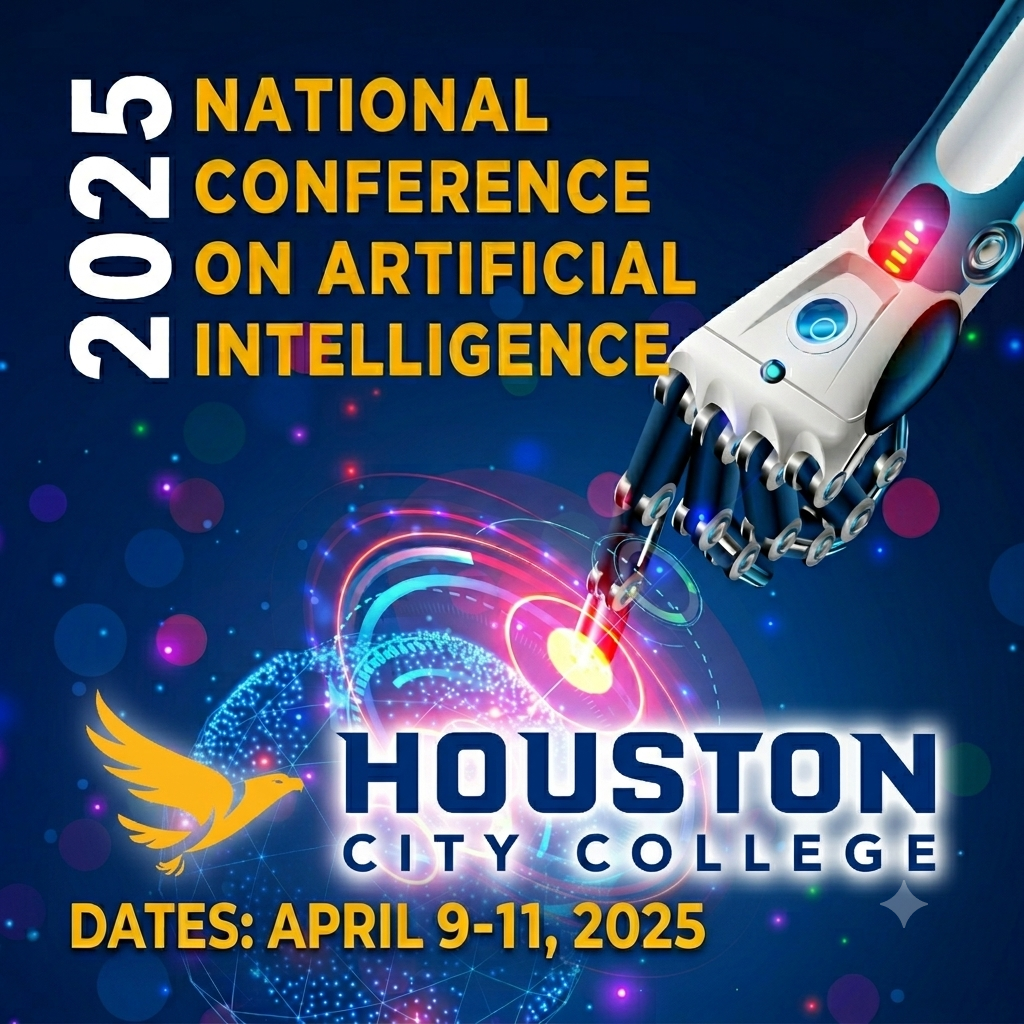
By the Numbers
- 1,300+ attendees across education, industry, and government
- 70+ expert speakers
- 16 dynamic panels and 20 hands-on workshops
- 30 leading companies showcased AI innovations
- 25 generous sponsors & donors
- 6 international delegations
Hands-On Learning with Industry Leaders
From robotics to deep learning, our interactive workshops empowered attendees with real-world skills. Sessions were led by engineers and technologists from:
- NVIDIA
- Siemens
- Lumiwealth
- BoodleBox
- HCC Faculty Experts
Breakthrough Student Participation
Nearly 500 students attended, gaining career-shaping exposure to:
- Recruiters and mentors from top tech companies
- State-of-the-art labs and virtual environments
- Showcases including Intel’s AI Global Impact Festival
- Presentations in AI, cybersecurity, robotics, and space tech
Keynote Speakers & Panelists Included Leaders From:
AWS · Google · Microsoft · Intel · NVIDIA · Shell · Axiom Space · Dell · UH · UH-Victoria · Miami Dade College · SeedAI · Rice University · Lenovo · Perficient · Texas AI Association · and many more.
Making an Impact Beyond the Conference
- $100,000+ raised through sponsorships and donations—supporting scholarships and the HCC Computer Science Association
- Strengthened partnerships with leading tech companies such as with AWS, Microsoft, Intel, and Google
Faculty innovation sparked through exposure to cutting-edge trends and teaching resources
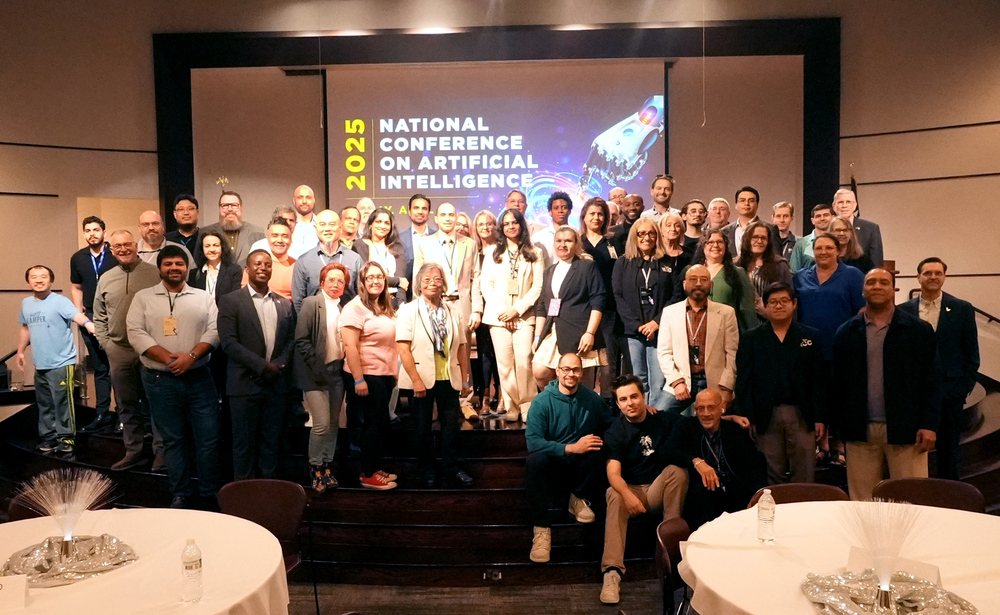
Faculty learned about Career Dreamer, an AI-powered tool for career exploration, plus free access to Google Career Certificates, AI Essentials, and Prompting Essentials. The session included a live demo and Q&A with the Google team.
The National Applied AI Consortium (NAAIC) partnered with Grow with Google to host an information session on Career Dreamer, an affordable, experimental AI-powered tool designed to help learners identify their skills and explore new career opportunities. The session provided a live demonstration of the platform and guidance on how educators can connect students to additional Google learning resources.
The session featured:
- A live demo of Career Dreamer by a member of the launch team
- Information on accessing Google Career Certificates, Google AI Essentials, and Google Prompting Essentials at no cost
- A live Q&A session with the Google team
Recording
Microsoft’s Rachel Wortman Morris presented the Microsoft Learn for Educators program, offering faculty official courseware, labs, and credentials. The session explained how MSLE can enhance curriculum and prepare students for AI careers.
The National Applied AI Consortium (NAAIC) hosted a Community of Practice meeting featuring Dr. Rachel Wortman Morris from Microsoft, who presented on the Microsoft Learn for Educators (MSLE) program. This initiative equips higher education faculty with AI skills, technical expertise, and industry-recognized Microsoft credentials to integrate into their courses.
The session covered how MSLE provides access to Microsoft Official Courseware, training resources, labs, and tools that help faculty enhance their teaching and better prepare students for workforce success in the AI era. Attendees learned how to join the program and incorporate its offerings to strengthen their curriculum and expand student opportunities.
A 7-week program led by Intel and Sustainable Living Lab provided faculty with foundational AI knowledge, ethics training, and applied skills. Participants learned to guide student AI projects and launch AI initiatives.
The National Applied AI Consortium (NAAIC) partnered with Intel and the Sustainable Living Lab to deliver the Intel AI Fluency for Professors professional development program. This 7-week, 14-hour training equipped community college faculty with foundational AI knowledge, practical skills, and strategies to integrate AI into their teaching.
The program combined hands-on activities, discussions, and applied exercises to help participants strengthen their AI expertise, guide students in developing AI projects, and launch AI initiatives within their colleges aligned with the Intel AI for Workforce program.
Program Schedule:
- February 14, 2025 – AI Foundations
- February 21, 2025 – AI Project Cycles
- February 28, 2025 – Generative AI for Productivity
- March 7, 2025 – Generative AI Application Development
- March 14, 2025 – Foundational Applied AI Ethics
- March 28, 2025 – Applied Ethics for AI Dilemmas
- April 4, 2025 – Engagement Session
Participants were required to attend at least six sessions, including the first and last, complete a final engagement exercise, and submit both a feedback survey and self-assessment.
This training advanced NAAIC’s mission to build a nationwide network of AI-ready faculty capable of leading applied AI education in community colleges.
Explore how AWS and NAAIC are supporting faculty with AI training and tools for classroom instruction.
The National Applied AI Consortium (NAAIC) partnered with AWS Academy to host an information session on the AWS AI Practitioner Faculty Training program. Designed for community college faculty, this free professional development opportunity equips educators with the knowledge and tools to teach the AWS AI Practitioner certification and prepare students for AI-related careers.
The session covered:
Program details, including 6 hours of live instruction and 18 hours of self-paced learning
Access to AWS Skill Builder’s Standard Exam Prep Plan
A voucher for the AWS AI Practitioner certification exam upon program completion
How the training covers AI/ML fundamentals, AWS Skill Builder tools, and certification preparation
Attendees were able to ask questions directly to AWS experts and learn how the program could be integrated into their teaching to deliver in-demand skills to students.
Recording
Initial launch of NAAIC's faculty Community of Practice—setting the stage for collaboration and resource sharing.
Intro and Kick off Meeting
This webinar showcased Google Prompting Essentials, AI Essentials, and Career Certificates available free to faculty and students. Presenters shared integration strategies and real-world use cases from Miami Dade College.
The National Applied AI Consortium (NAAIC) partnered with Grow with Google to host a webinar introducing free AI training resources for community college faculty and students. The session highlighted how educators can access Google’s latest AI courses and integrate them into their curriculum to build career-ready skills.
The session covered:
- How to access Google Prompting Essentials, Google AI Essentials, and the Google Career Certificates program at no cost
- An overview of the new Google Prompting Essentials course
- Examples from Miami Dade College on how Google Career Certificates and AI courses are being used, along with strategies for embedding them into academic programs
- A live Q&A with Google representatives
This partnership expands faculty AI knowledge while providing students with equitable access to cutting-edge AI education and credentials.
2-day online program by Black Dog Black Cat preparing community college faculty to teach Microsoft Azure AI Fundamentals (AI-900). Training included Microsoft Learn for Educators resources, hands-on labs, exam vouchers, and ongoing support via a dedicated Teams channel.
To help community college faculty become a confident instructor of Microsoft AI content, this two-day train-the-trainer bootcamp was designed to fully prepare for the AI-900: Microsoft Azure AI Fundamentals certification. This intensive program also introduced Microsoft Learn for Educators (MSLE), offering access to official courseware, hands-on labs, and curated teaching resources.
The online training was delivered by Black Dog Black Cat, a Microsoft Certified Trainer, and included materials, labs, and resources. AI-900: Microsoft Azure AI Fundamentals certification exam vouchers were available to all educators who successfully completed both training sessions.
Following the training, a Teams channel was available for the MSLE AI Bootcamp educators, including training materials, session recordings, and a forum to post questions regarding MSLE access and the AI-900 certification exam.
NAAIC’s first info session introduced its mission, goals, and plans to expand applied AI education through curriculum development, faculty training, and industry partnerships. Attendees learned how to get involved in consortium initiatives.
The National Applied AI Consortium (NAAIC) hosted its inaugural information session to introduce the consortium, its mission, and its strategic goals for advancing applied AI education in community colleges nationwide. The session outlined NAAIC’s focus on developing industry-informed curriculum, building faculty capacity, and fostering strong partnerships between academia, industry, and government to prepare students for AI-enabled careers.
Key topics included:
- NAAIC’s mission to expand access to high-quality AI education
- Goals and objectives for curriculum development, faculty professional development, and industry engagement
- Planned initiatives, including mentorship programs, faculty training opportunities, and the creation of a national AI Knowledge, Skills, and Abilities (KSA) framework
- How community colleges can participate in and benefit from consortium activities
Attendees learned how to get involved, collaborate with peers, and leverage NAAIC resources to strengthen AI programs at their institutions.
Recorded Video